
See it first, without an account
The demo shows AgentX passing a task from one agent to an agent on another machine. It runs three AgentX daemons (background services) on your own computer and needs no model account: the network connection, routing and records are real, but the model replies are scripted, so nothing calls a paid model. It doesn't touch your real agents or credentials.
You need a copy of the AgentX source code that has been built, and Node.js 22. See Install › Run from source for how to get one.
Run the demo
- Terminal: go to the folder with the AgentX source code.
- Terminal: start the demo:sh
node dist/cli.js demo - Wait for the line
Dashboard: http://127.0.0.1:18931/live. The demo opens it in your browser. - Browser: watch the Live tab. The task moves from one machine to another.
- Terminal: press Enter to play the scenario again, or Ctrl-C to stop the demo.
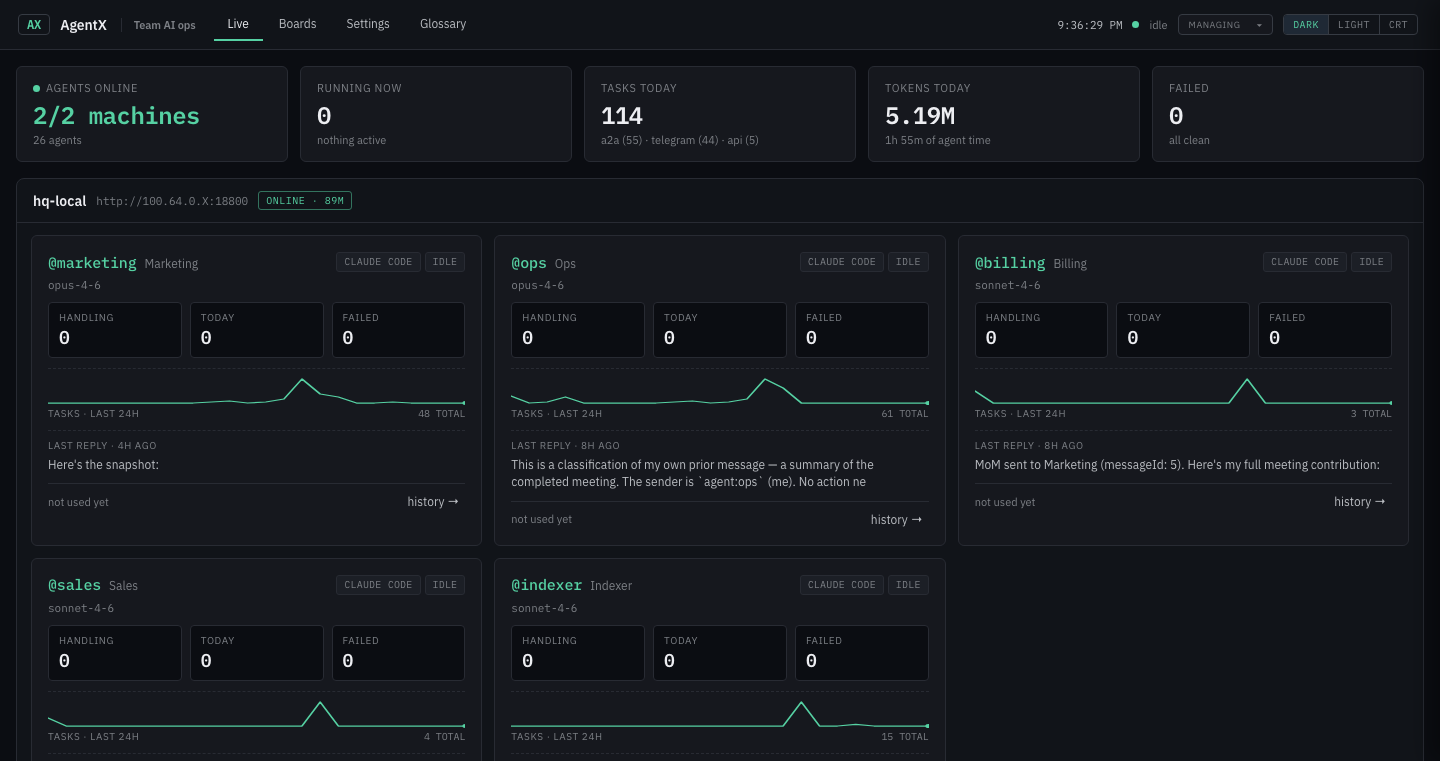
The demo after a task has moved between machines.
The demo is a tour of routing, not a filled-in copy of a business, so some dashboard views stay empty.
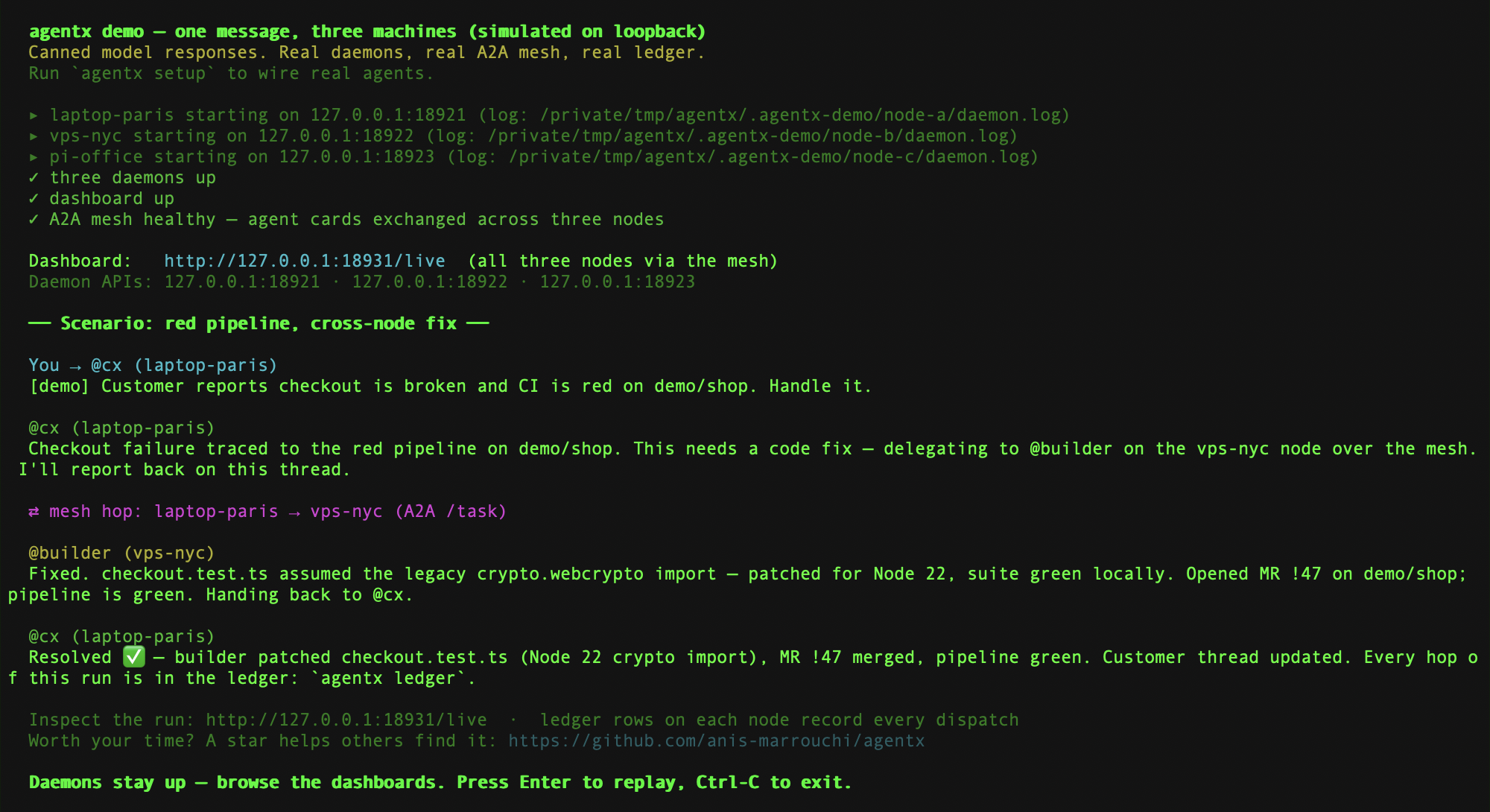
The terminal after one run of the scenario.
See a filled-in demo
The filled-in demo is the one used for the screenshots on this site. It adds made-up reviews, switched-off schedules and two switched-off workflows. It never connects a real channel.
- Terminal: in the AgentX source folder, start the demo and leave it running:sh
pnpm docs:demo - Terminal: open a second terminal in the same folder.
- Terminal: add the made-up data:sh
pnpm docs:seed - Browser: open
http://127.0.0.1:18931/live. - Browser: open the Workflows tab, then open Draft the demo shop report.
- Browser: select Ask AI to build…, type
Build the demo report workflow, and send it. The demo answers with a fixed example.
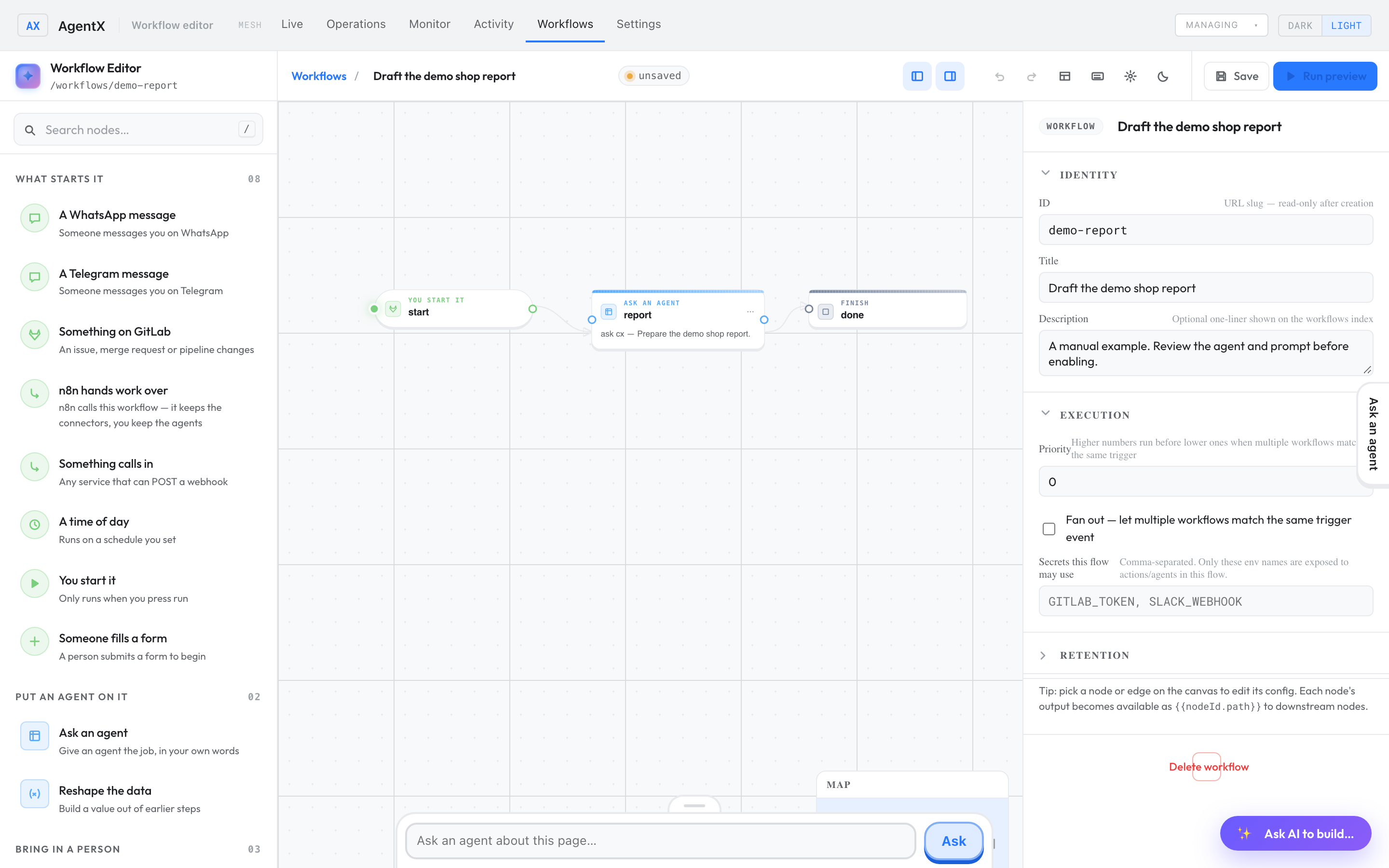
Keep the demo between sessions (Docker)
Docker runs programs in a sealed box, called a container. The Docker version of the demo plays the scenario and adds the same made-up data once, then keeps it in a named storage area (a Docker volume) so it's still there next time.
- Terminal: start it:sh
docker compose -f docker-compose.demo.yml up --build -d - Browser: open
http://127.0.0.1:18931/live. - Terminal: when you want a fresh demo, remove it and its stored data:sh
docker compose -f docker-compose.demo.yml down -v
Next: follow the annotated workflow walkthrough, then install AgentX to create a real team.
Check it worked
- Browser:
http://127.0.0.1:18931/liveshows agents on three machines. - The terminal prints
A2A mesh healthy, which means the three demo machines can reach each other.
If something is wrong
Cannot find module … dist/cli.js: the source hasn't been built. Runpnpm install, thenpnpm build.- The demo won't start because a port is busy: another demo is already running, perhaps in another terminal. Stop that one with Ctrl-C, or start this one elsewhere with
node dist/cli.js demo --base-port 19021(the dashboard is then on the base port plus 10). - Node.js version errors: AgentX needs Node.js 22. Check with
node --version. - The Docker demo shows old data: run
docker compose -f docker-compose.demo.yml down -vto start fresh.