
Connect Telegram
Telegram lets you message an agent from your phone or computer and get its reply in the same chat. You create a Telegram bot (an account that a program controls), tell AgentX its token (the bot's password), and say who is allowed to talk to it.
You need:
- An agent. See Your first agent.
- The AgentX daemon (the background service) running.
- The Telegram app, signed in.
Treat the bot token like a password. Never put it in an issue, a screenshot or a shared config example.
1. Create the bot
- Telegram app: open a chat with @BotFather, Telegram's official bot for creating bots.
- Send
/newbot. - Send a display name for the bot, for example
Support Helper. - Send a username for the bot. It must end in
bot, for exampleexample_support_bot. - Copy the token that BotFather sends back. It looks like
123456:ABC….

2. Store the token
AgentX keeps secrets in the .env file next to agentx.json, not in the dashboard. (In Docker, that's agentx-data/.env.)
- Open the
.envfile in a text editor. - Add a line with a name of your choice and the token, then save:sh
TG_SUPPORT_BOT_TOKEN=123456:ABC…
If you connect Telegram from the setup page instead (Connect Telegram now on /setup), you paste the token into Bot token there and AgentX writes this line for you. Then continue with step 4.
3. Add the bot in the dashboard
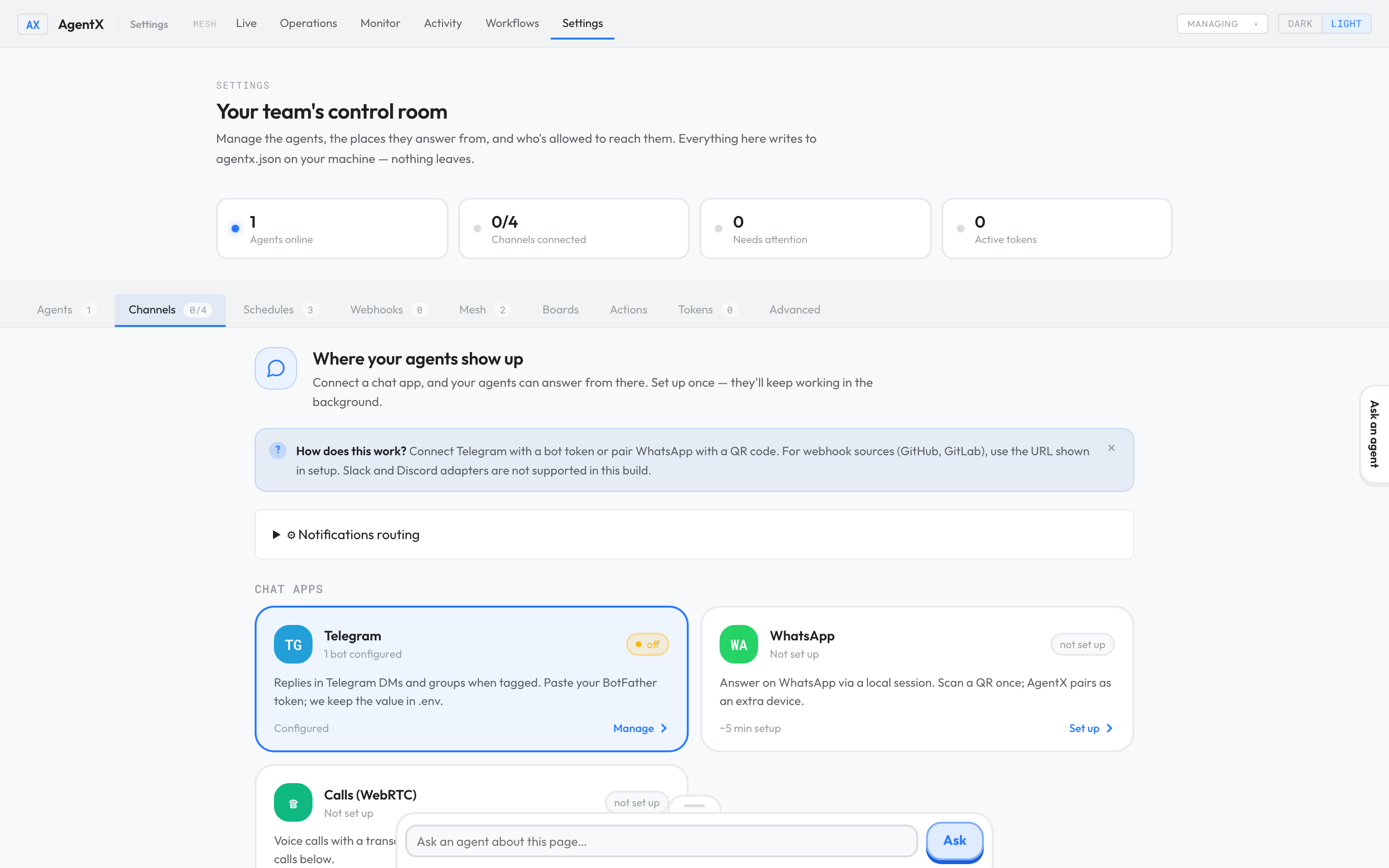
- Browser: open the Settings tab.
- Select Channels.
- Select the Telegram card.
- Under Add a Telegram account, enter an Account id: a short label of your choice, such as
support. - In Bind to agent, choose the agent that should answer.
- Optionally enter the Bot username.
- In Bot token env-var, enter the name you used in
.env, such asTG_SUPPORT_BOT_TOKEN. Enter the name, not the token itself. - Select Add account.
AgentX saves the change and the running daemon picks it up.
4. Allow people to talk to the bot
A new bot ignores everyone until you list who may use it. This stops strangers who find your bot from using your agent and your model account.
- Browser: in Settings, open the Advanced tab.
- Select Edit.
- Find
"telegram"under"channels", and add your Telegram username to"allowFrom"inside"policy":jsonAn entry can be a"policy": { "dm": "pair", "group": "mention-required", "allowFrom": ["@your_username"] }@username, a numeric Telegram user id, or a chat id (for a group). - Select Save.
To give one bot its own list, add "allowFrom" to that account instead, next to its "token".
In groups, the bot answers only when a message mentions it or uses one of the agent's trigger words.
Check it worked
- Telegram app: send your bot a short message, such as
hello. - The bot replies in the same chat, within a minute.
- Browser: the Activity tab lists the conversation.
If something is wrong
- The bot doesn't reply at all: check that the daemon runs. Terminal:
agentx daemon statusmust sayStatus: running. The dashboard alone doesn't receive Telegram messages. - The log says
not in allowlist: Terminal: runagentx daemon logs. A line likedropped message from 123456789 (@your_username) … not in allowlistmeans you're not inallowFrom. Copy the number or@usernamefrom that line intoallowFrom, as in step 4. - The daemon complains about the token, or the bot never connects: the name in Bot token env-var must match the name in
.envexactly. After fixing.env, restart the daemon (agentx daemon stop, thenagentx daemon start --detach). - The bot answers in a private chat but not in a group: mention the bot or use a trigger word, and add the group's chat id to
allowFrom. - Still nothing: run
agentx doctor, then follow It's not answering.