
Wiki: browse what your agents know, by kind of thing
Your agents write what they learn into a shared wiki. Each agent keeps its own pages, so the same person or server can have several. The Wiki view merges them into one page per real thing and sorts every page into a small set of pillars: Parties, Places & Jurisdictions, Assets, Offerings & Projects, Agreements, Law & Obligations, Events, Decisions & Policies and Procedures.
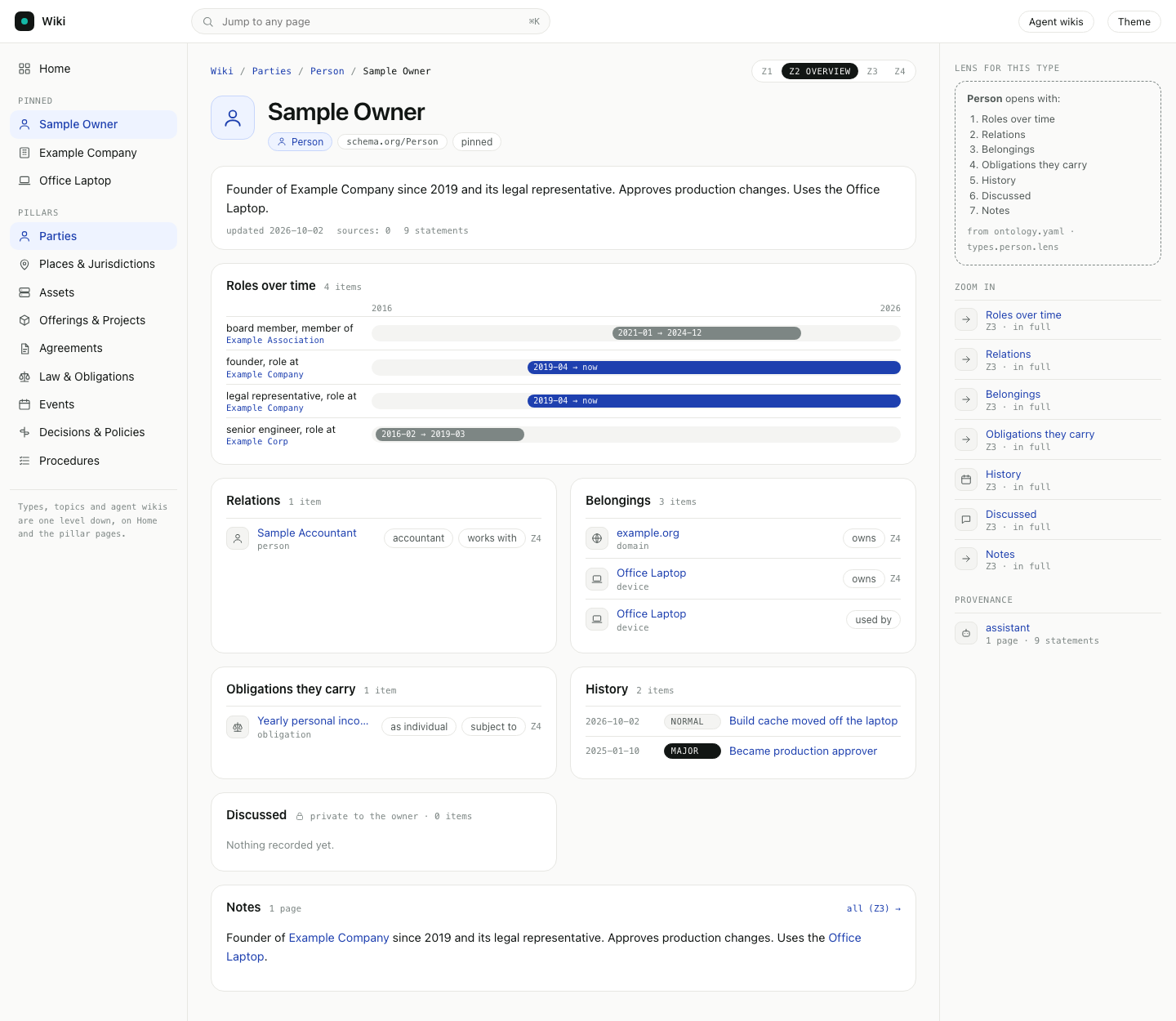
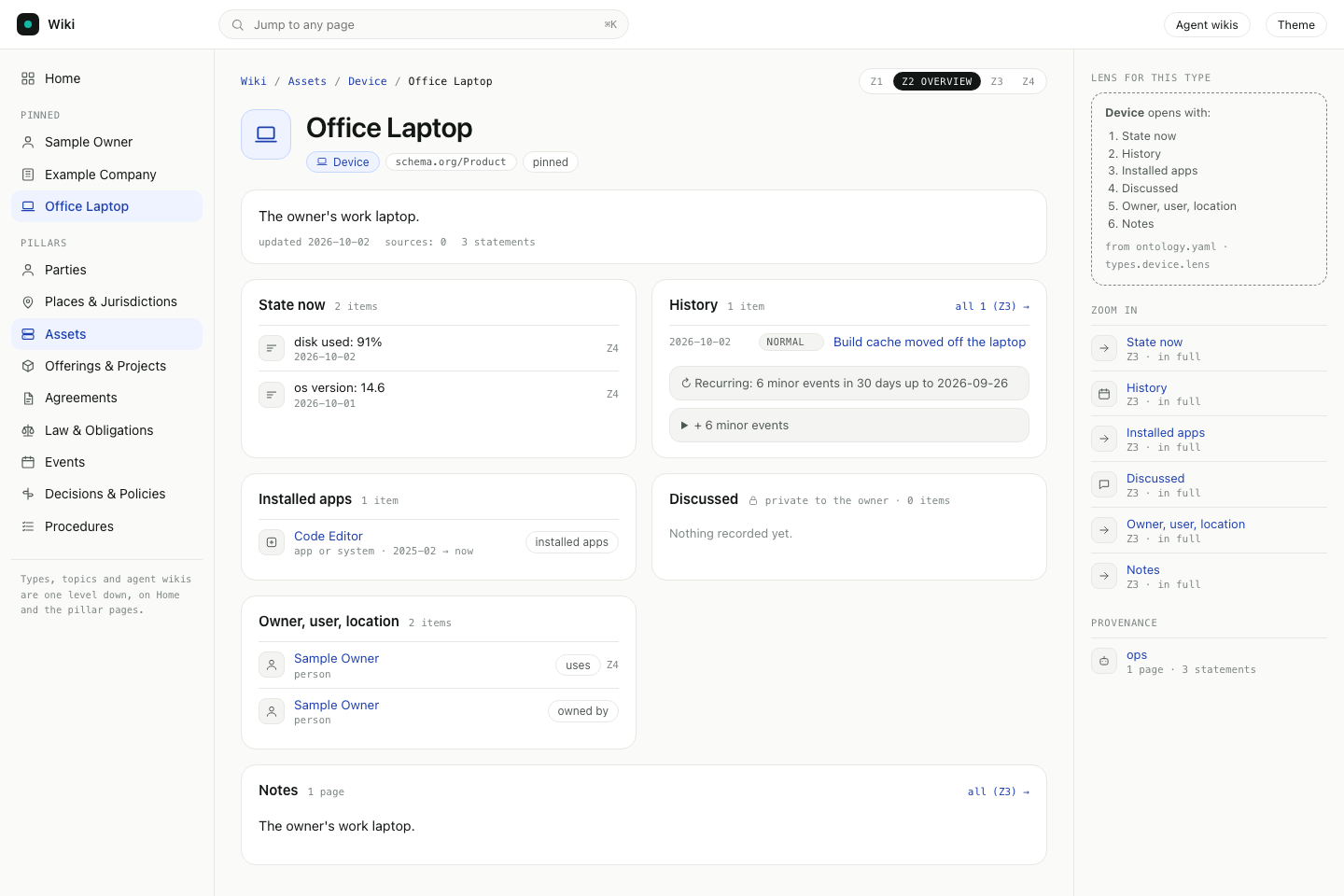
Each page opens at the level of detail that suits its kind. A person shows roles over time, relations and belongings. A device shows its state, events and installed apps. An obligation shows who must do what, by when, and the law it comes from.
Two words used on this page:
- Type: the kind of thing a page is about, such as Person, Organization, Device or Obligation. Each type belongs to one pillar.
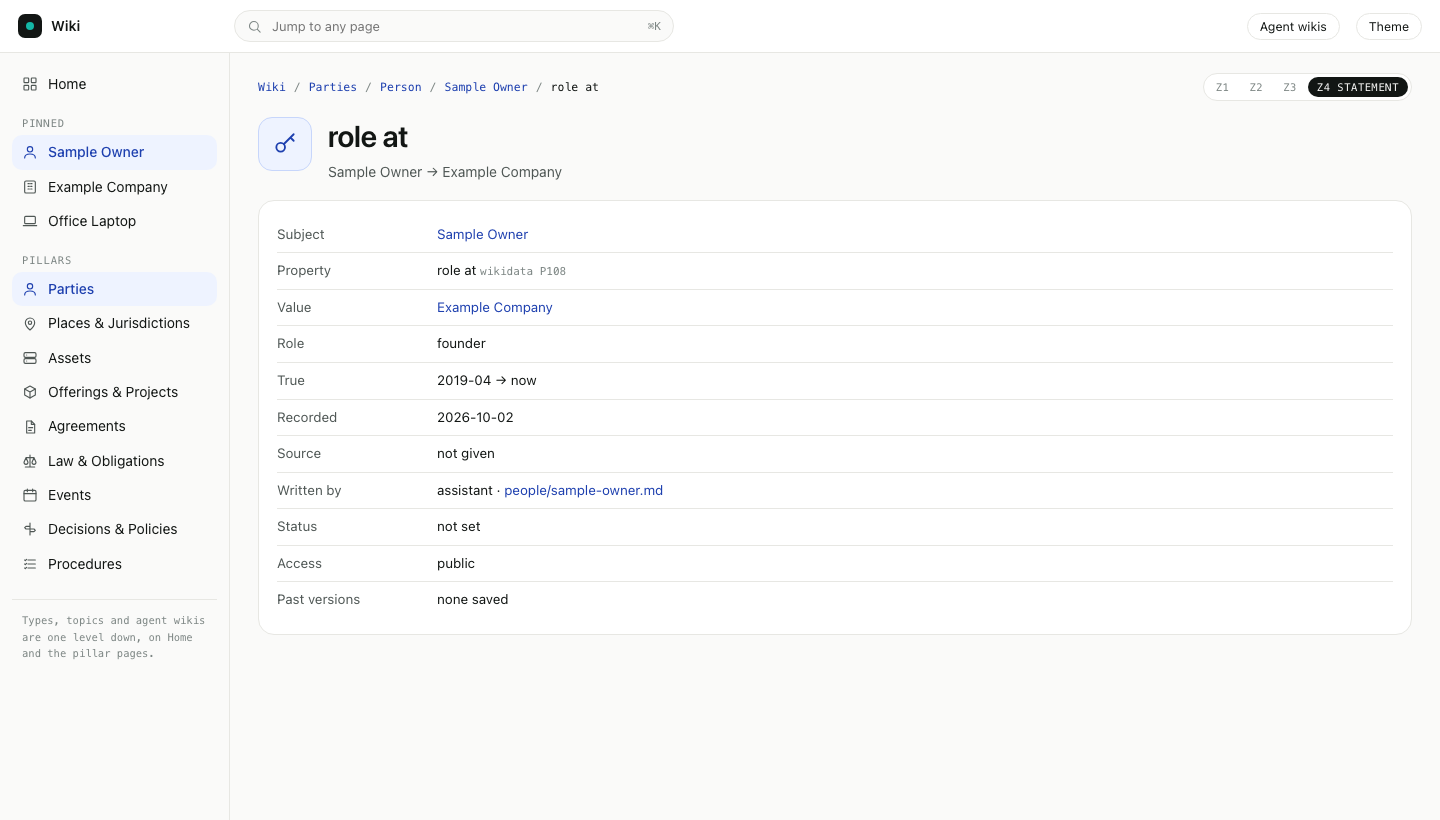
- Statement: one typed fact on a page, such as "Sample Owner, role at Example Company, founder, since 2019-04". Every statement keeps its source.
Open it
- Browser: open the dashboard and go to
/admin/wiki/. - Or, Terminal: run
agentx wiki serveand openhttp://localhost:4200.
The sidebar holds only Home, up to five pinned pages and the pillars.
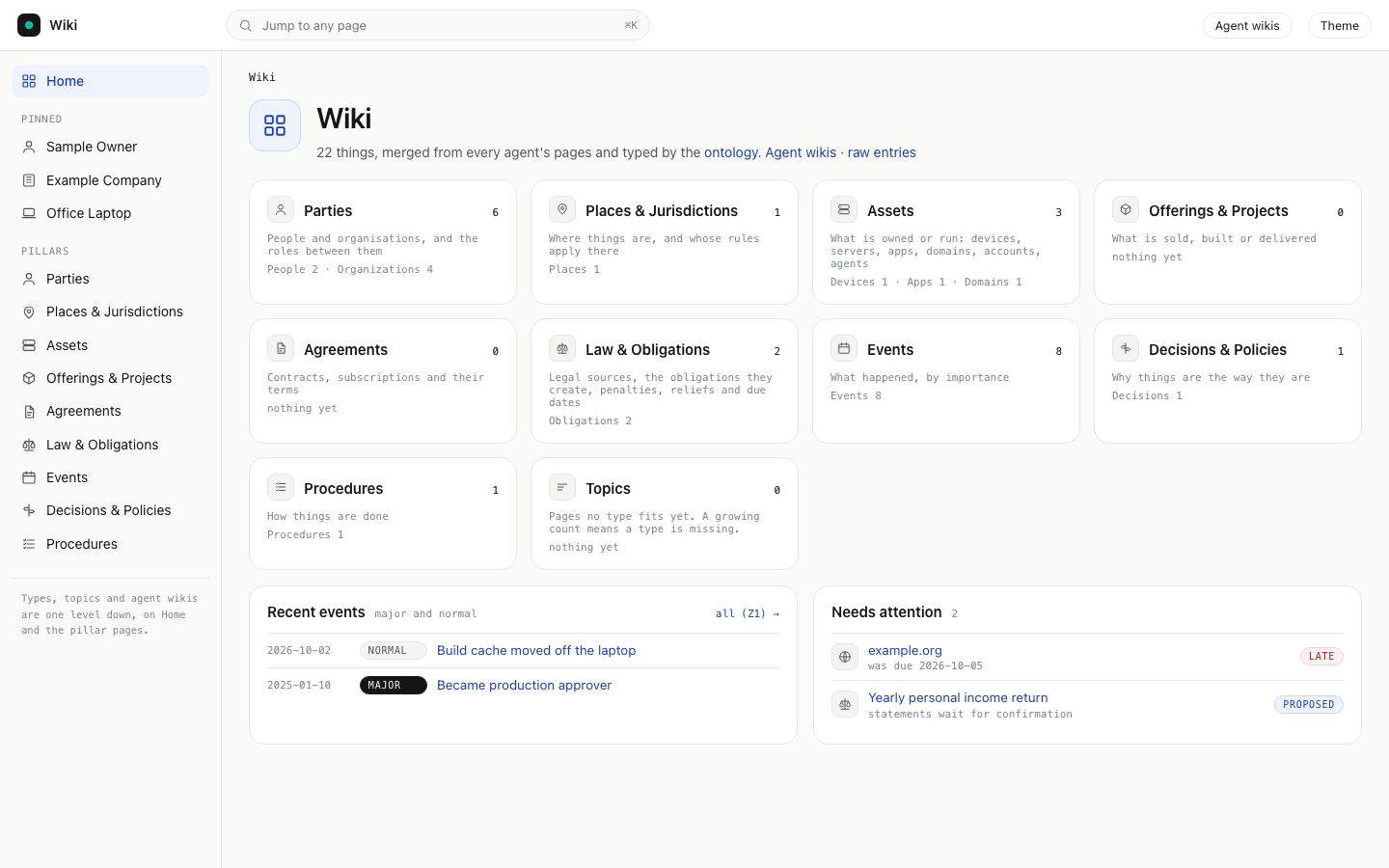
Zoom in, one level per click
| Level | What you see |
|---|---|
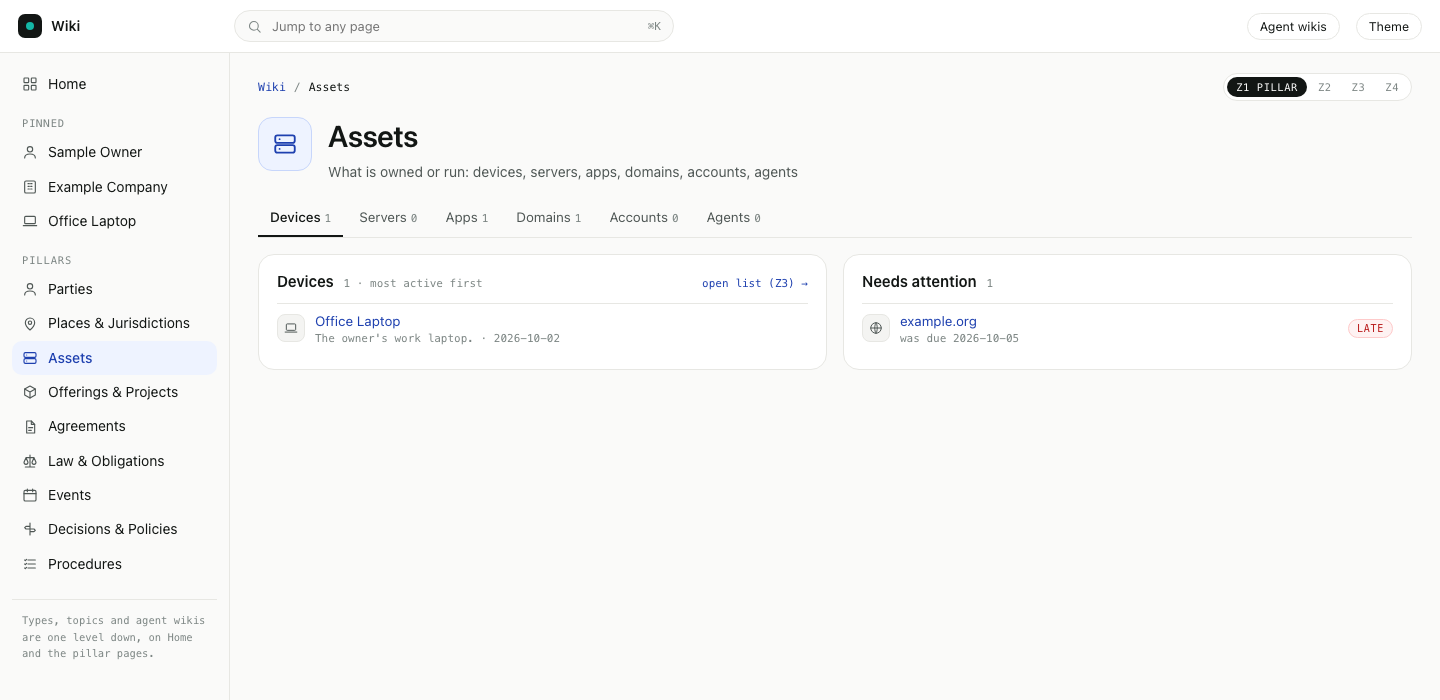
| Z1 Pillar | The types inside the pillar as tabs, the five most active pages of the open type, and what needs attention. open list shows every page of that type. |
| Z2 Page | One thing through its type's lens: a summary, then the panels for that type, each with its first few items. |
| Z3 Panel | One panel in full: every role, every event with minor ones unfolded, every installed app. Long lists have pages. |
| Z4 Statement | One fact: its value, when it was true, when it was recorded, the source, which agent wrote it, who confirmed it and earlier versions. |
Click a pillar in the sidebar. Its page opens at Z1.
Click a page. It opens at Z2. A person page shows roles over time as a timeline:
A device page shows its latest readings, its events with minor ones folded, and the apps installed on it:
Click all (Z3) on a panel to see all of it.
Click Z4 next to a fact to see where it comes from.
The per-agent view is still there: click Agent wikis at the top.
Event importance
Every event is minor, normal or major. Pages show major and normal events and fold minor ones under a count. When five or more minor events happen in 30 days, the page shows them as one Recurring line. Only the owner sets major; an agent can propose it.
A new event page has no level yet and shows as normal. agentx wiki events gives every event its level and the page it is about. See Sort wiki events by importance.
Rule pages
A rule page (an obligation) holds one rule once: what to do, who, the deadline, the penalty, the source and the date of that source. People and organizations that must follow it list it under Obligations. agentx wiki rules writes these pages from the pages that state rules. See Keep each rule on one page.
Private facts
A statement marked access: private (an ID number, an account number) shows as •••• on Z2 and Z3. Its value appears only on its Z4 page. The Discussed panel lists the conversations a page was written from and is marked private to the owner.
Change the pillars, types and lenses
The wiki uses built-in defaults until you write your own ontology.yaml in the wiki folder.
- Terminal: run
agentx wiki ontology init. It writes.agentx/wiki/ontology.yamlwith every default. - Open the file and change what you need. A section you delete falls back to the default. Types, pillars and relations merge by
id.- Pin pages: list up to five page titles under
sidebar.pins. - Reorder or hide a panel: edit
lensunder the type. - Add a type: add an item under
typeswith anid, alabeland apillar. - Change how old pages get a type: edit
classify. Rules are tried in order, by old page type, folder, tag or title.
- Pin pages: list up to five page titles under
- Terminal: run
agentx wiki ontology check. - Reload the wiki page. There is no restart.
A short example:
sidebar:
  pins: [Sample Owner, Example Company]
types:
  - id: vehicle
    label: Vehicle
    plural: Vehicles
    pillar: assets
    lens:
      - {panel: parties, title: Owner, from: [owns, uses]}
      - {panel: history, source: history, fold: minor}
How a page gets its type
- A page that sets
class:in its header uses that type. - Otherwise the
classifyrules decide, from the page's oldertype, its folder, its tags or its title. - A page no rule matches goes to Topics, which is not in the sidebar. A growing Topics count means a type is missing.
- A person or untyped page named after one of the fleet's agents is an agent. The agent names come from the wiki,
agentx.json, persona files andagent_namesinontology.yaml. See Agents are kept out of People.
A page's ## Overview section shows in full at the top of its entity page. agentx wiki enrich writes one for you, with typed facts and links to its events. See Bring entity pages up to a full story.
Statements are written in the page header as one line of JSON:
class: device
statements: [{"property":"owns","value":"Office Laptop","since":"2025-02"},{"property":"reading","metric":"disk_used","value":"91%","at":"2026-10-02"}]
Ask an agent to curate a page
Every page in the dashboard's wiki has a round chat button in the bottom-right corner. It opens a chat about the page that is open, so you never type the page's name. You write what you want, such as "find this venue's contact details", "rewrite the summary" or "add a photo". An agent researches it, rewrites the page and shows you what changed.
- The agent may use the web and the sources your installation has connected: messages, mail and other wiki pages.
- Every fact it adds cites its source right after it, as a link or a short label such as "(source: mail from the venue, 2026-03-02)". The sources are also listed in the chat and added to the page's source list.
- Every change is saved through the normal wiki path. The page before the change is kept as an earlier version, so you can put it back.
- By default the agent that owns the page answers. You can pick one agent for every page instead (see below).
To curate a page:
Browser: open a page in the wiki at
/admin/wiki/, either a merged page or one under Agent wikis.Click the round button in the bottom-right corner.
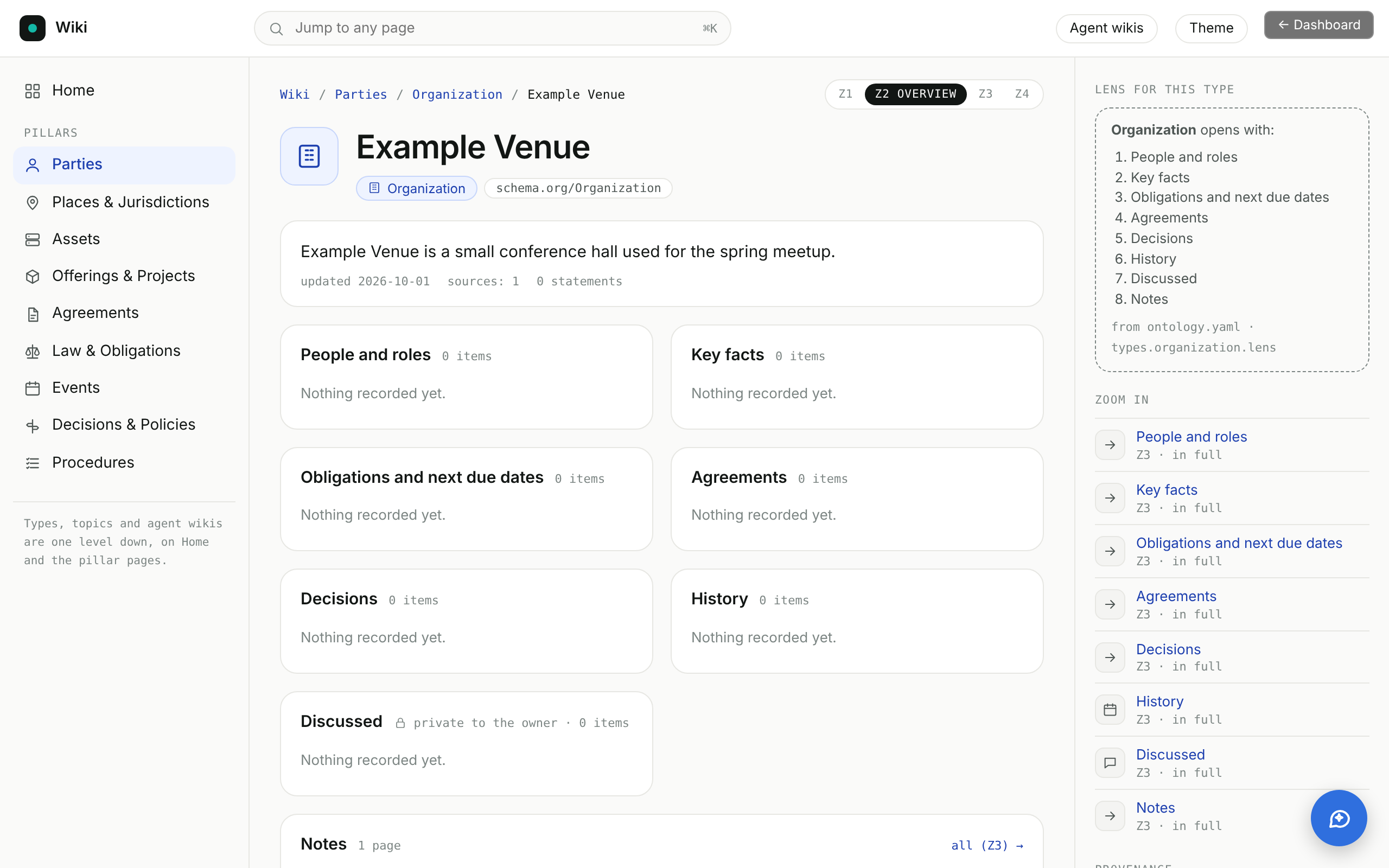
Type what you want changed and press Enter (Shift+Enter starts a new line).
Wait while the agent works. The chat shows "Working…" and you can close it and come back; the result is kept.
Read the agent's reply. When it changed the page, the reply shows how many lines were added and removed, a What changed list and the Sources it used.
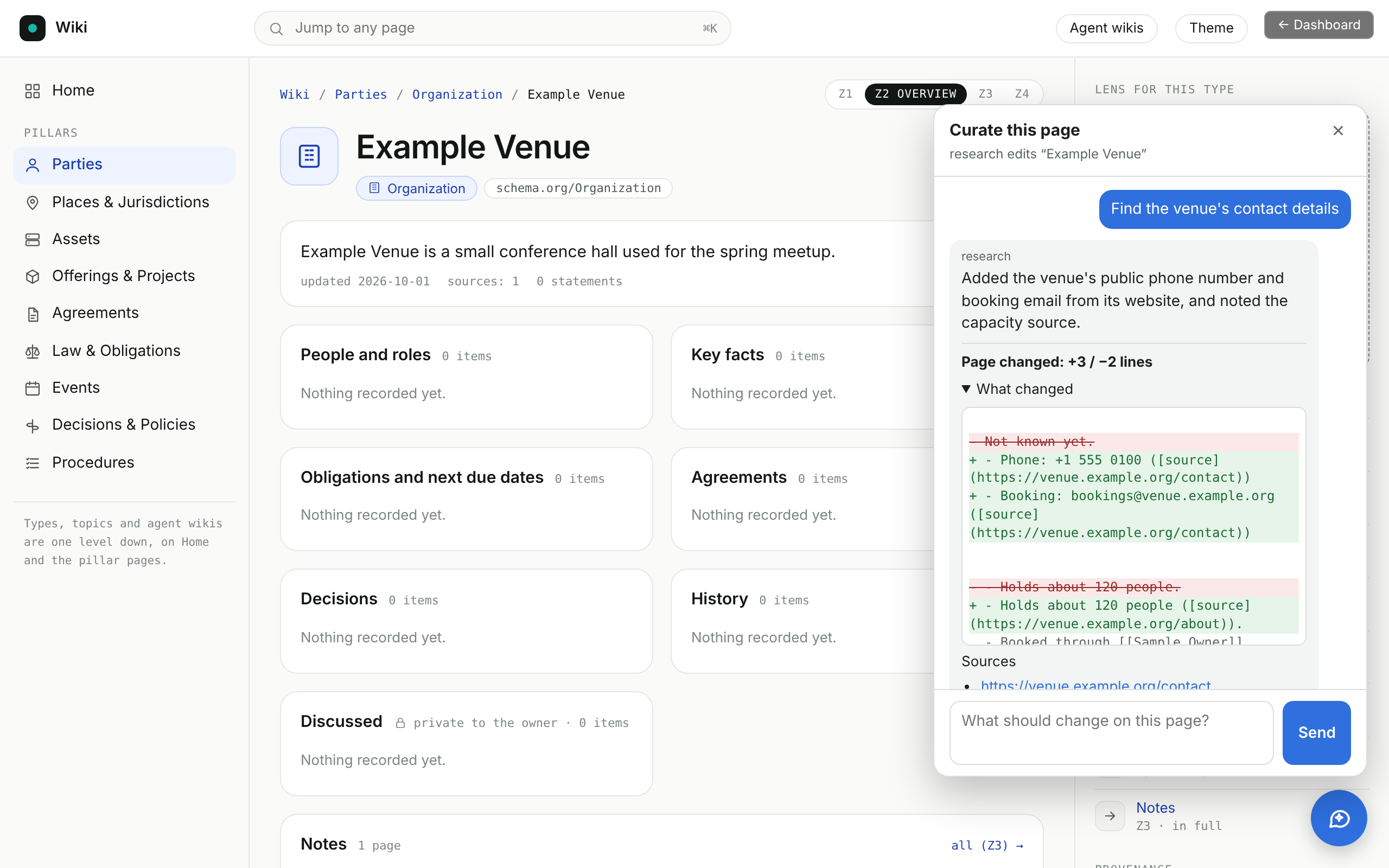
Click Show the updated page to see the result.
To undo the change, click Restore the previous version, then confirm. The page goes back to how it was; the undone text is itself kept as a version.
When the agent only answers or asks you a question back, the page is not changed. When someone else edits the page while the agent works, nothing is written and the chat asks you to send the instruction again.
Two more checks protect the page:
- If the agent's reply would cut the page to less than half its lines or length, nothing is written, unless your instruction asks for something to go (for example "remove", "delete", "shorten" or "summarise"). Very short pages are not checked.
- If the wiki cannot save the page's earlier version, the change is not kept, so every change you see can be undone.
Press Esc to close the chat. On a phone the chat fills the width of the screen. The chat follows the wiki's light or dark theme.
The chat is kept by the agent's computer (the daemon) until it restarts; the page's earlier versions are kept on disk.
Turn the chat button off, or choose the agent
In the dashboard:
Browser: open Settings and stay on the Agents tab.
Open Wiki page curator.
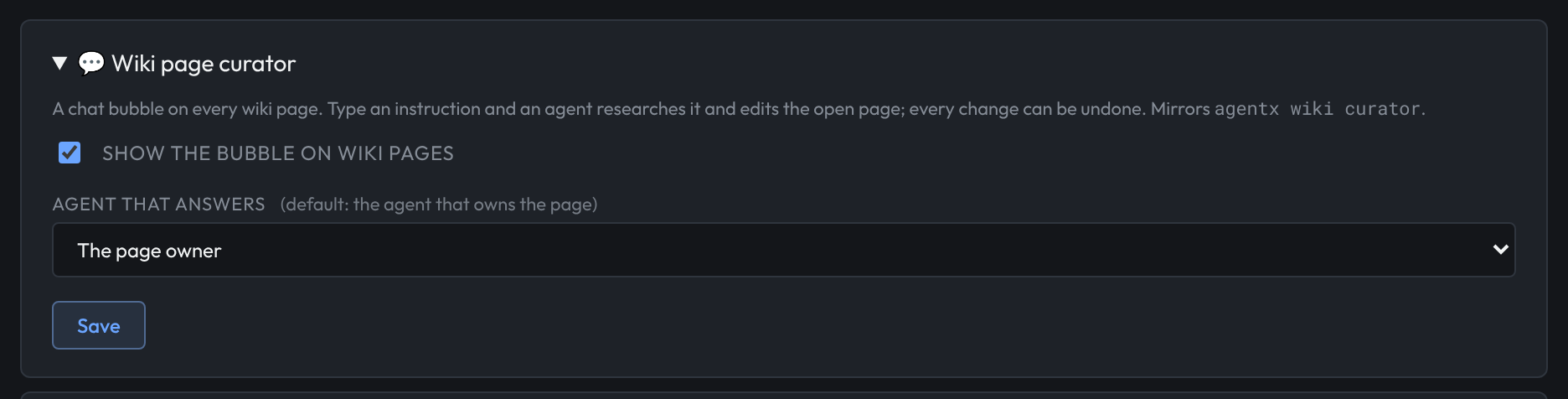
Untick Show the bubble on wiki pages to turn it off, or tick it to turn it on.
Under Agent that answers, pick an agent, or The page owner for the default.
Click Save. Reload the wiki page to see the change.
In a terminal:
- Terminal: run
agentx wiki curatorto see the current settings. - Run
agentx wiki curator --offto turn it off, oragentx wiki curator --onto turn it back on. - Run
agentx wiki curator --agent <agent-id>to let one agent answer on every page, oragentx wiki curator --ownerto go back to each page's owner.
In agentx.json, the same settings are wiki.curator.enabled (default true) and wiki.curator.agent (default: unset, the page owner):
{
  "wiki": {
    "curator": { "enabled": true, "agent": "research" }
  }
}
You can also curate a page and manage its versions from a terminal, with the daemon running:
- Terminal: run
agentx wiki curate <agent> "<page title>" "<what to change>".<agent>is the wiki the page is in. It prints the reply, the changed lines and the sources. - Run
agentx wiki versions <agent> "<page title>"to list the page's earlier versions, newest first. - Run
agentx wiki restore <agent> "<page title>" [version]to put one back. Without a version, the newest is used.
Check it worked
- Terminal: run
agentx wiki ontology show. It prints the number of pages per pillar and type. - Browser: open
/admin/wiki/. The sidebar shows Home, your pins and nine pillars. - Open a person or a device. The panels match the lens for its type, listed on the right under Lens for this type.
- Open any page and click the round button in the bottom-right corner. A chat titled Curate this page opens and names the agent that answers.
- Terminal: run
agentx wiki versions <agent> "<page title>"after a change. It lists the version saved before it.
If something is wrong
- A red box says ontology.yaml has problems: your file has lines the wiki can't use, and the defaults are used for them until you fix them. Terminal: run
agentx wiki ontology checkand fix each line it prints. - A page sits in the wrong pillar: no rule gave it the right type. Add
class: <type>to its header, or add aclassifyrule for its folder, tag or title. - Two pages for the same thing are not merged. Pages merge when their titles or
aliasesmatch. Add the other title toaliases:on one of them. - A pinned page does not show. The pin must match a page title or alias exactly, ignoring case and punctuation. Only the first five pins show.
- The old home page with agent cards is gone. It moved to Agent wikis (
/agents). - There is no round button on wiki pages: the curator is turned off, or the dashboard cannot reach the daemon. Terminal: run
agentx wiki curator; if it says off, runagentx wiki curator --on. Then check that the daemon is running withagentx daemon status. - The chat says there is no agent with that name: the agent set under Agent that answers was removed, or the page's owner is not an agent on this computer. Pick another agent in Settings, or run
agentx wiki curator --agent <agent-id>. - The chat says the page is a copy from another node: that agent's pages are copied from another computer and can only be changed there. Open the wiki on that computer.
- The chat says the page changed while the agent was working: someone else saved the page meanwhile, so nothing was written. Send the instruction again.
- The chat says the page was busy, or restore says the page was busy: another job (for example a wiki events or enrich run) was saving the same page at that moment, so nothing was written. Wait a few seconds and try again.
- The chat says the reply would cut the page and nothing was written: the agent sent back much less than the page held, and your instruction did not ask to remove anything. Send the instruction again, or say plainly what to remove, such as "remove the history section".
- The chat says the wiki could not save the previous version: the wiki folder could not be written to, so the change was dropped. Terminal: check there is free disk space and that the daemon can write to
.agentx/wiki/, then send the instruction again. - Restore the previous version says the curator is turned off: the chat's restore button only works while the curator is on. Turn it on, or Terminal: run
agentx wiki restore <agent> "<page title>" [version]. - A change has no sources: the chat marks it with "No sources were cited". Ask the agent to add its sources, or restore the previous version.