
Answer questions from a channel
A good first job for an agent is answering one narrow kind of question: support hours, a product FAQ, or how an internal process works. A channel is the chat app or tool the questions arrive from, such as Telegram.
You need an agent (see Your first agent) and a connected channel (see Connect Telegram).
Set the agent up
- Put the approved source material (FAQ, policy pages, price list) in the agent's workspace folder, so the agent can read it.
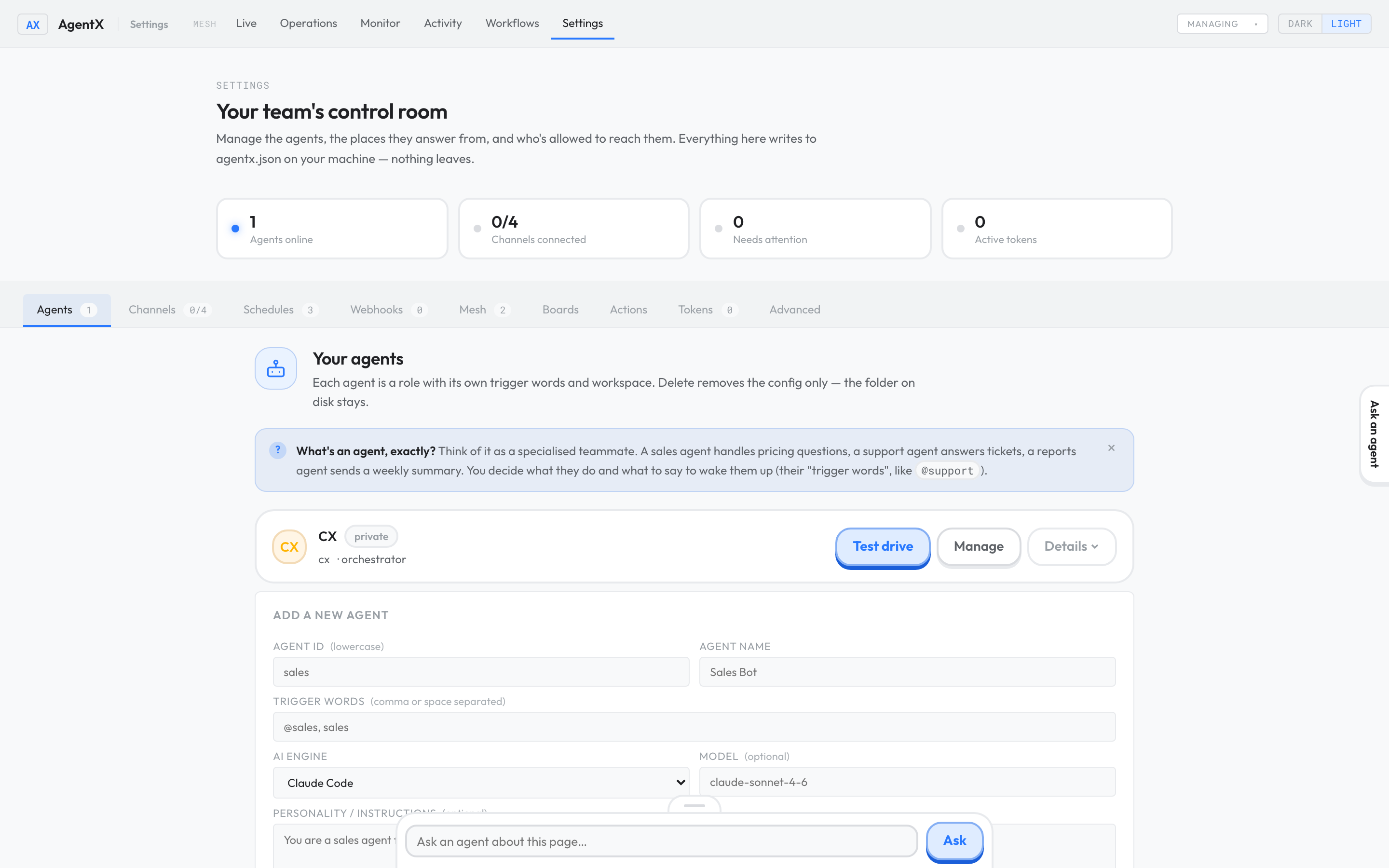
- Browser: open Settings and stay on the Agents tab.
- Select Manage next to the agent.
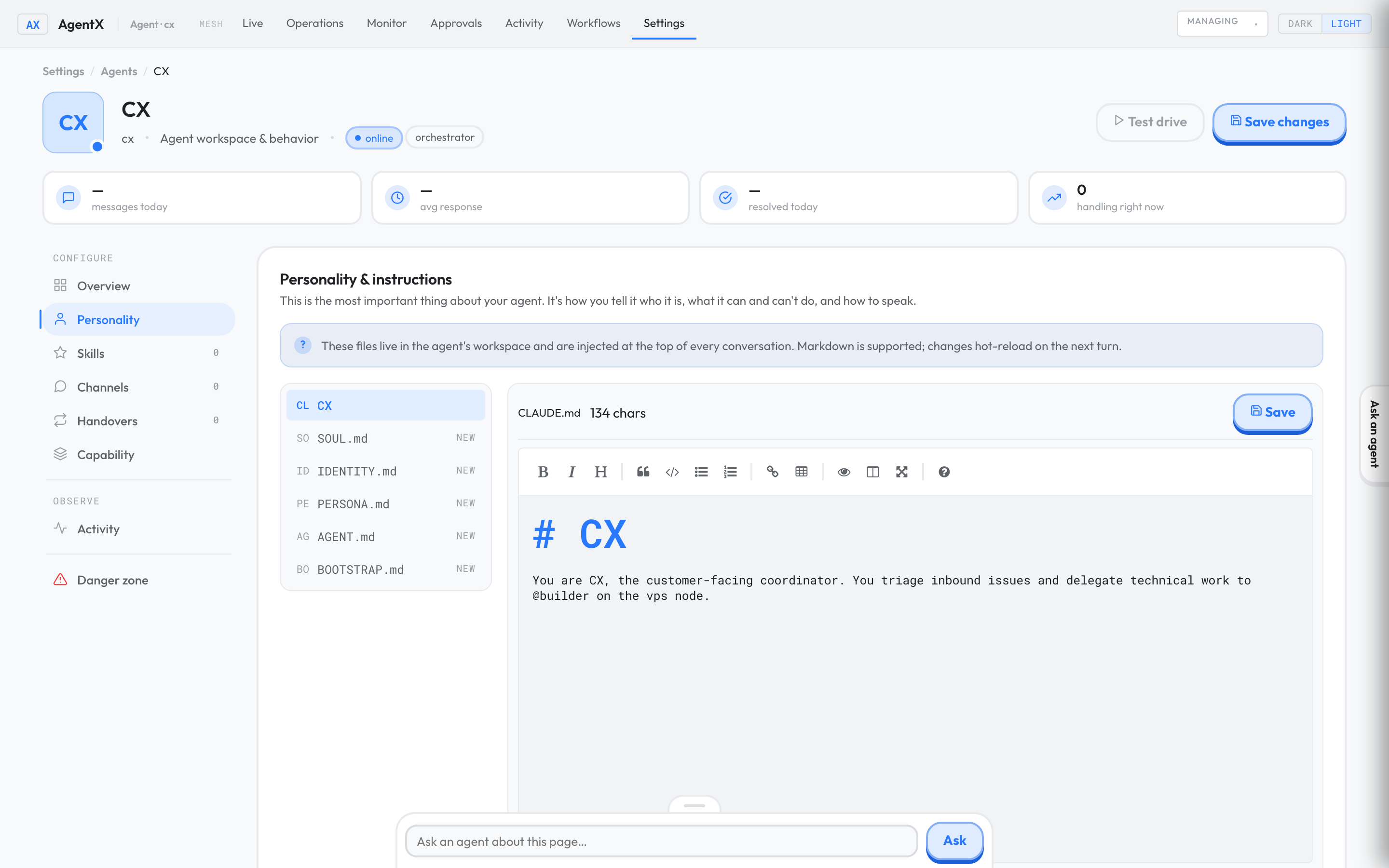
- Select the Personality tab and open the instructions file.
- Say what the agent answers, and that it must say "I don't know" when the material doesn't cover a question, instead of guessing.
- Select Save. The change applies from the agent's next reply.
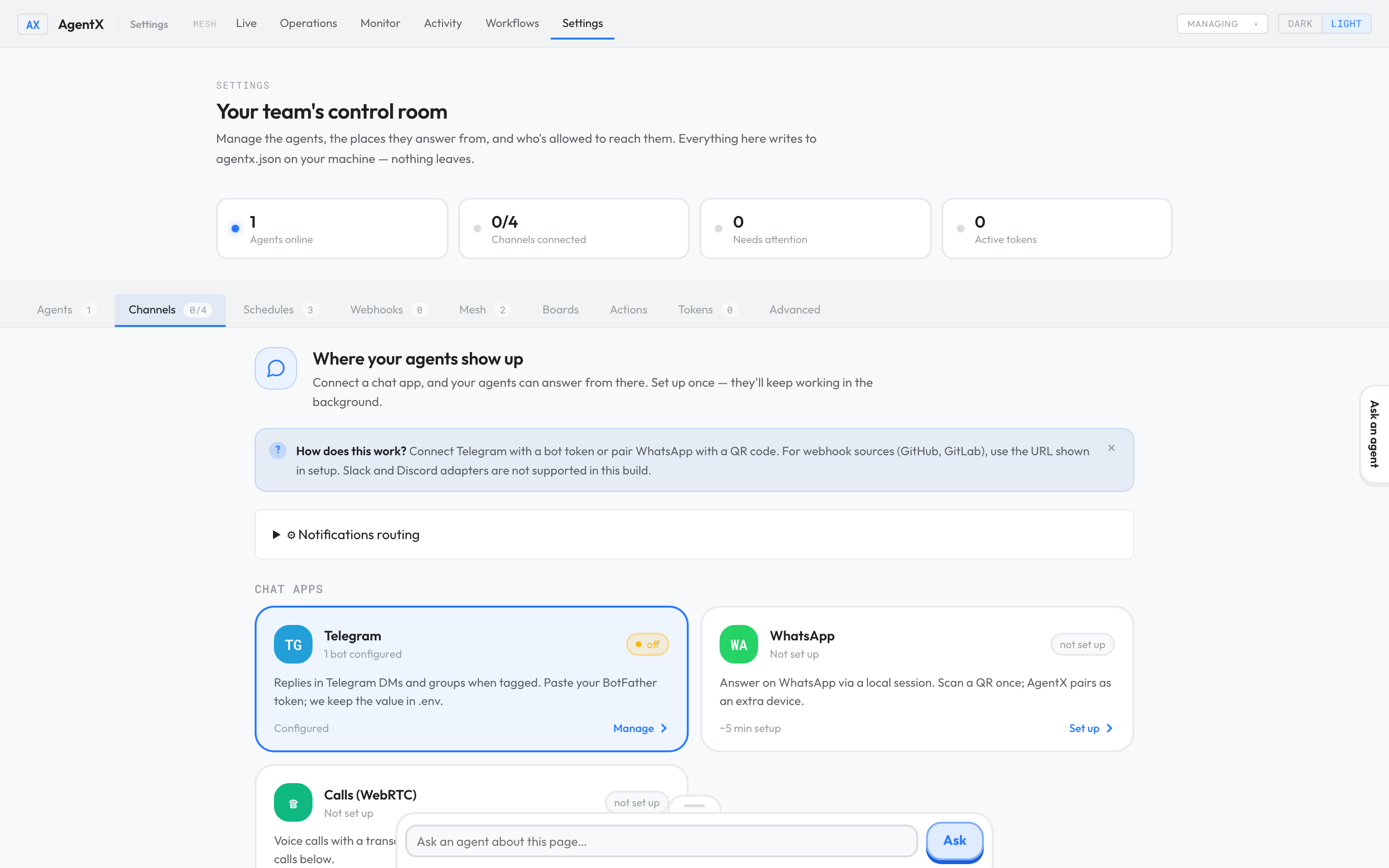
- Go back to Settings and select the Channels tab.
- Check that the channel is bound to this agent. For Telegram, open the Telegram card: each account shows
agent:followed by the agent's ID.
Test it
- In the channel, ask a question whose answer is in the material.
- Ask a question that is not covered.
- Browser: open Activity and find both conversations.
Check it worked
- The first answer matches the source material.
- For the second question, the agent says it doesn't know rather than inventing an answer.
- Both requests appear in Activity under the right agent.
If something is wrong
- No reply at all: follow It's not answering.
- Another agent answered: the channel is bound to a different agent. Change the binding in Settings › Channels.
- The answer is invented: make the instruction stricter, and check that the source material is in the agent's workspace.
- The answer is out of date: replace the files in the workspace with the current version.