
Keep it safe
AgentX agents act for real: they post messages, change issues and run commands. A few habits keep that under control.
- Give each agent only the credentials and access it needs.
- Keep secrets (bot tokens, API keys, passwords) in the
.envfile next toagentx.json.agentx.jsononly refers to them by name, such as${GITLAB_TOKEN}. Never put a secret in a public document, an issue or a screenshot. - Try new automations on a test channel and a test project before they touch real work.
- For a generated workflow, check every step and destination before saving. Apply to canvas replaces the whole current workflow.
- For a schedule, check its timezone and what happens when it fails.
- Review Activity after the first run.
- Keep the daemon on a trusted local or private network. See Tailscale setup for a private network between machines, and Dashboard on your own address if you put the dashboard behind a web server.
Give a script or another tool its own token
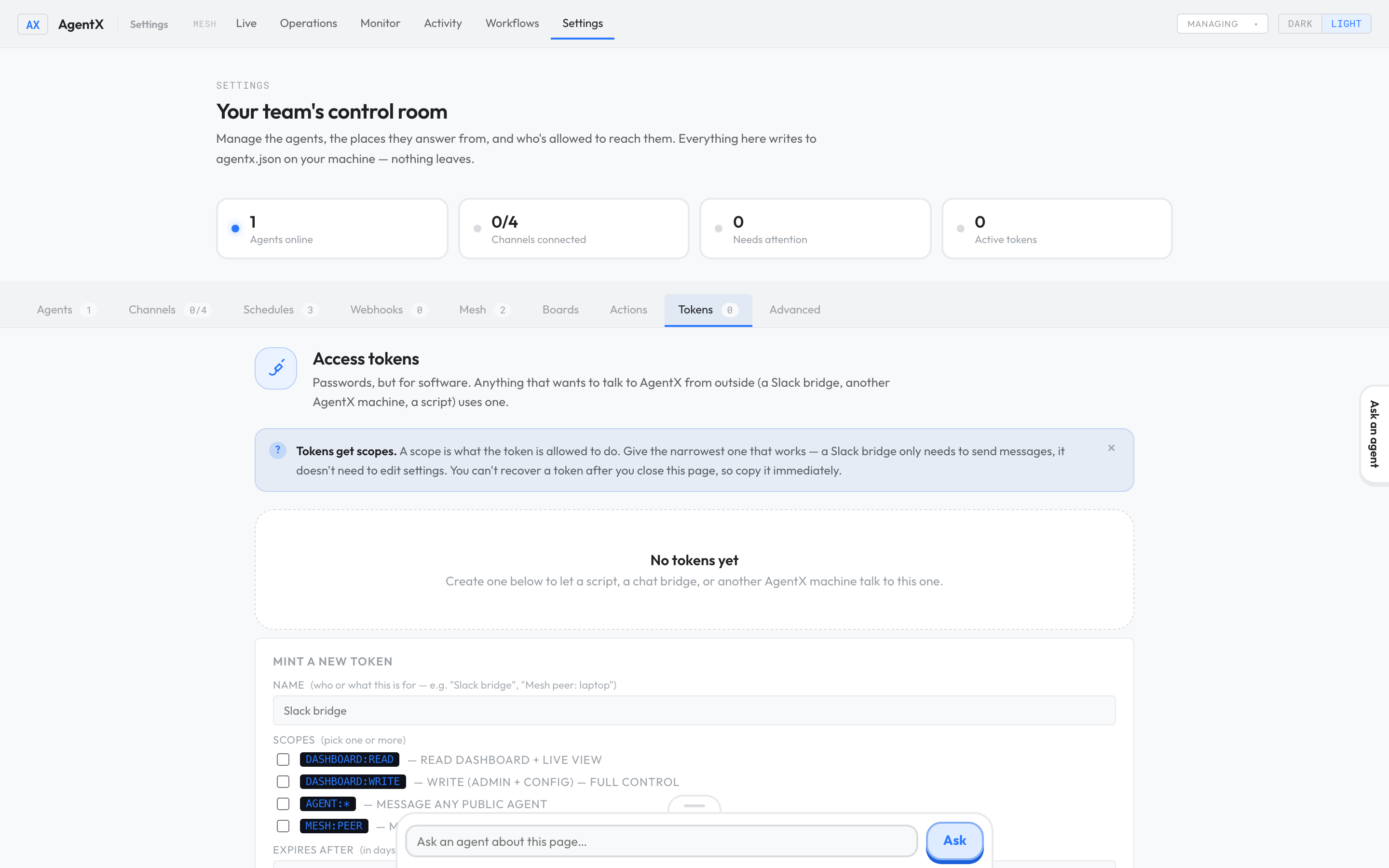
A token is a password for software. Anything that talks to AgentX from outside (a script, a chat bridge, another AgentX machine) should use its own token, limited to what it needs, so you can cut it off without affecting anything else.
- Browser: open the dashboard and select Settings.
- Select the Tokens tab.
- Under Name, say who or what the token is for.
- Under Scopes, tick only what it needs. For example, dashboard:read only lets it read the dashboard.
- Optional: under Expires after, enter a number of days.
- Select Create token.
- Copy the token straight away and store it in the tool that needs it. You can't see it again after you leave the page.
From the terminal, agentx token create --name "<label>" --scope dashboard:read does the same, and agentx token list shows existing tokens without their secrets.
Replace a token that leaked
- Browser: in Settings › Tokens, select Revoke next to the leaked token. Anything using it stops working at once.
- Create a new token as above.
- Put the new token in the tool that used the old one.
For a bot token or API key that leaked, create a new one with the service that issued it (for example, BotFather for Telegram), replace the value in .env, and restart the daemon.
Check it worked
- Browser: Settings › Tokens lists each token by name. A revoked token no longer has a Revoke button.
- Terminal:
grep -n "token" agentx.jsonshows only references such as${GITLAB_TOKEN}, never a real secret.
If something is wrong
- A tool is refused after you revoked a token: that is expected. Give it the new token.
- A tool is refused with a new token: the token may lack the scope it needs, or have expired. Create a new token with that scope and revoke the old one.
- A real secret is in
agentx.json: move it to.env, replace it inagentx.jsonwith${NAME}, and treat the old value as leaked. - You found a security problem in AgentX itself: report it as described in the security policy.