
Describe what you want and let AgentX build the automation
In the workflow editor, you can describe an automation in plain English. An agent drafts the workflow (the steps, what starts it, and where the result goes), and you check it before using it.
Before you start
The person who installed AgentX needs to do this once:
- Terminal: switch the workflow engine on:sh
agentx config set workflows.enabled true - Terminal: restart the daemon (the AgentX background service):
agentx daemon stop, thenagentx daemon start --detach.
You also need at least one agent with a working model connection. It drafts the workflow.
Describe the automation
- Browser: open the dashboard and select the Workflows tab.
- Open the editor: select + (Build a new workflow) to start a new one, or select an existing workflow and then Edit on canvas.
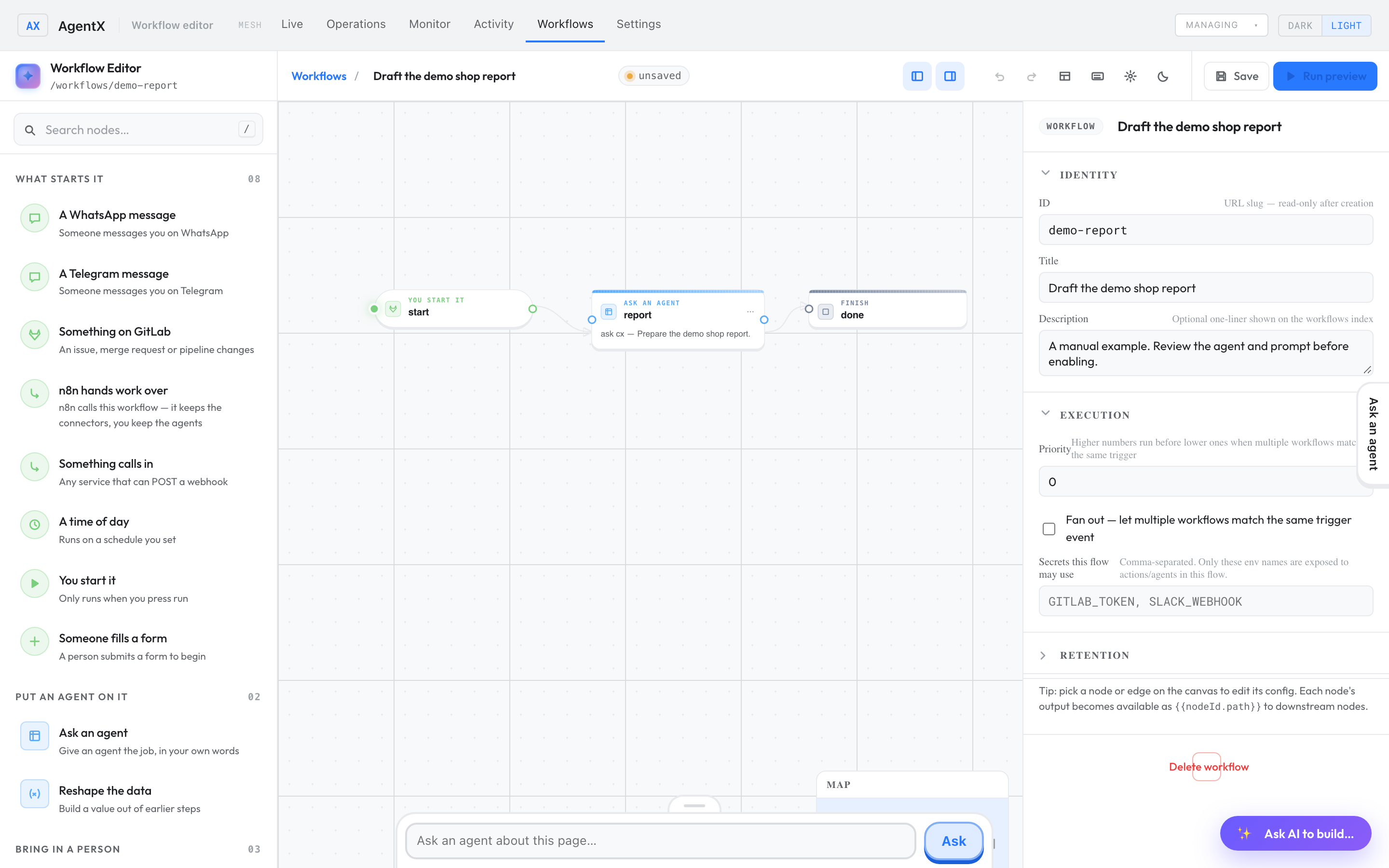
- Select Ask AI to build… at the bottom right.
- Describe what should happen: when, from where, and where the result goes. For example: "Every Monday, summarize last week's GitLab issues and send the summary to Telegram."
- Press Enter and wait for the reply.
Check the draft and use it
- Read the reply and the proposed steps.
- Select Apply to canvas only when you are ready. It replaces the whole current workflow on the canvas.
- Select each step on the canvas and check its destination and settings in the panel on the right.
- Select Save.
- Test it for real before relying on it: in the Workflows tab, select the workflow, select ▶ Run, then Run now. The editor's Run preview only walks through the steps on screen; it doesn't run them.
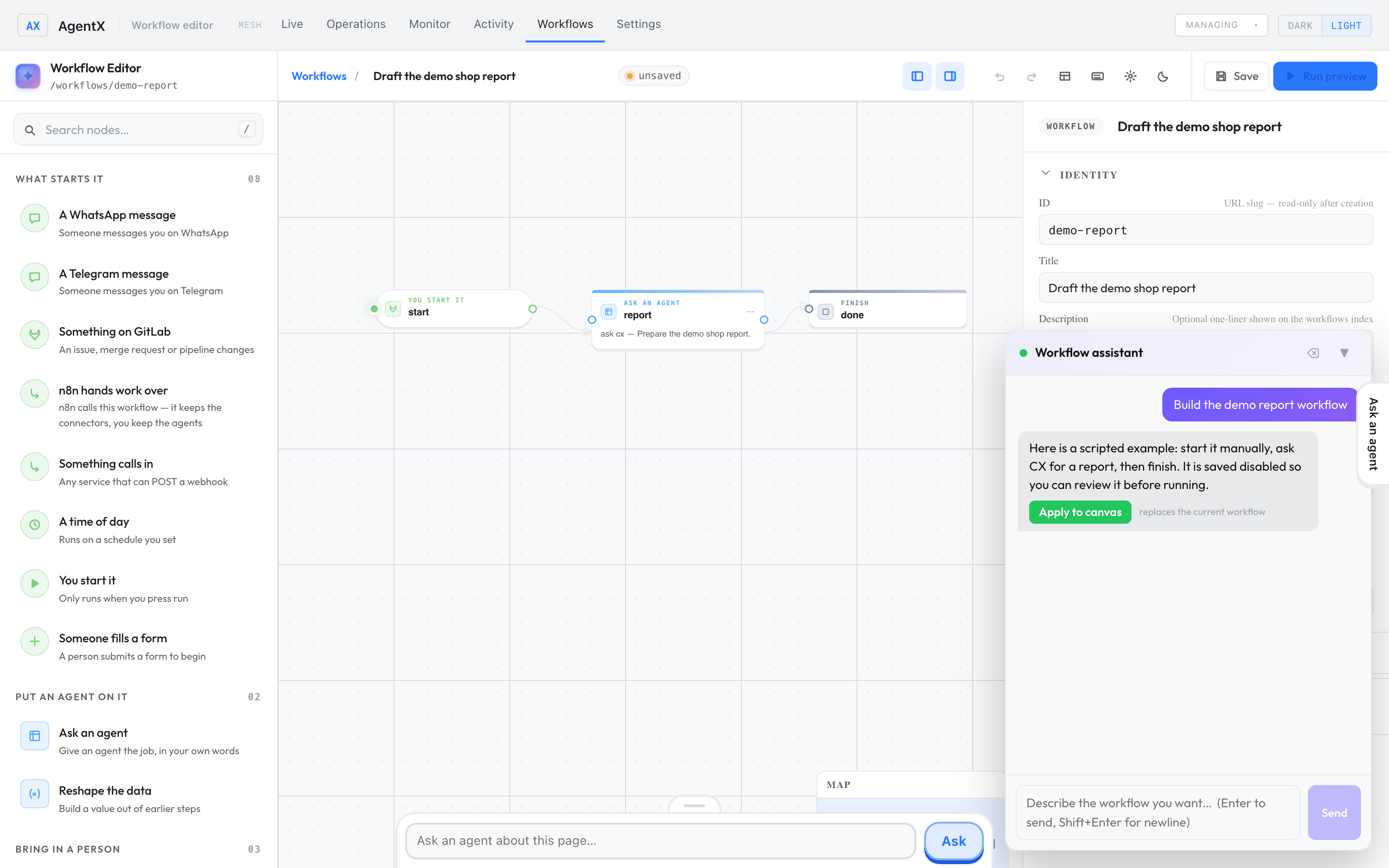
A fixed demo response, shown through the real editor and daemon.
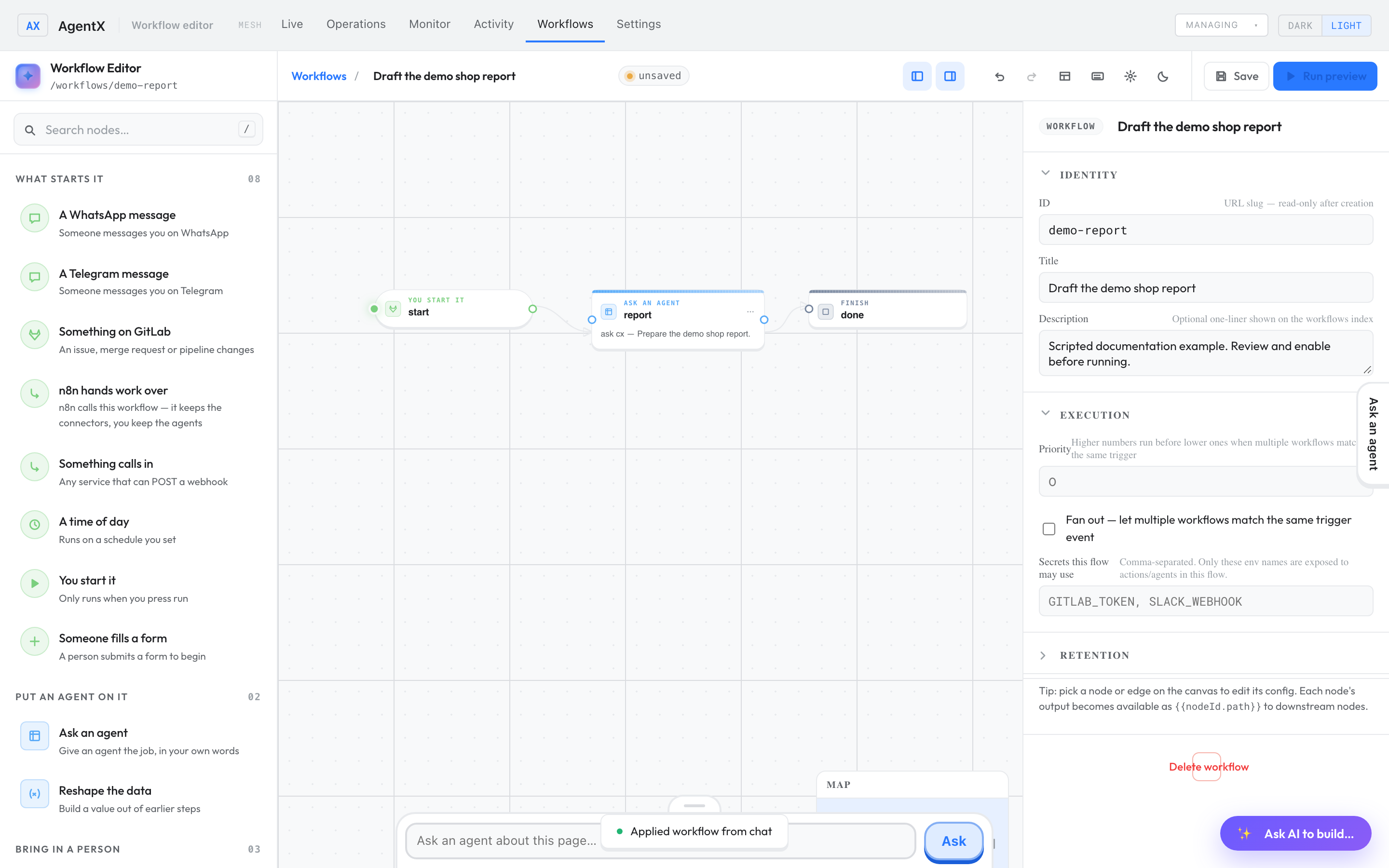
Saving a workflow doesn't guarantee that it starts by itself: its state decides that. See Check that it worked.
In the scripted demo, type Build the demo report workflow. It returns a fixed three-step example without calling a real model. Other requests need a real model.
For step names and fields, see the workflow schema.
Check it worked
- Browser: the Workflows tab lists the saved workflow.
- Select it. Its details show the trigger (what starts it).
- After a test run, the run appears under the workflow, and the destination received the result.
If something is wrong
- The editor answers with a 503 error or "no authoring agent available": no agent can draft workflows. The first registered agent drafts them, unless the installer sets
AGENTX_WORKFLOW_AUTHOR_AGENTin.envto another agent's ID. Check that agent and its model login. - Requests fail and
agentx daemon logssaysWorkflows: disabled: the engine is off. Do the steps in Before you start. - Your earlier workflow disappeared from the canvas: Apply to canvas replaced it. If you haven't saved, reload the page to get the saved version back.
- In the demo, the reply doesn't make a workflow: only Build the demo report workflow works there.