
It's not answering
You sent an agent a message and nothing came back. This page walks through the checks in order, from the most common cause to the least.
AgentX runs as two separate programs:
- The daemon is the background service that receives messages, runs agents and sends replies.
- The dashboard is the website you open in the browser.
The dashboard can load while the daemon is stopped. A working browser page does not prove that messages are being handled.
Find where the message stopped
- Terminal: check that the daemon is running:sh
agentx daemon status - Terminal: if it says the daemon is not running, start it:sh
agentx daemon start --detach - Browser: open
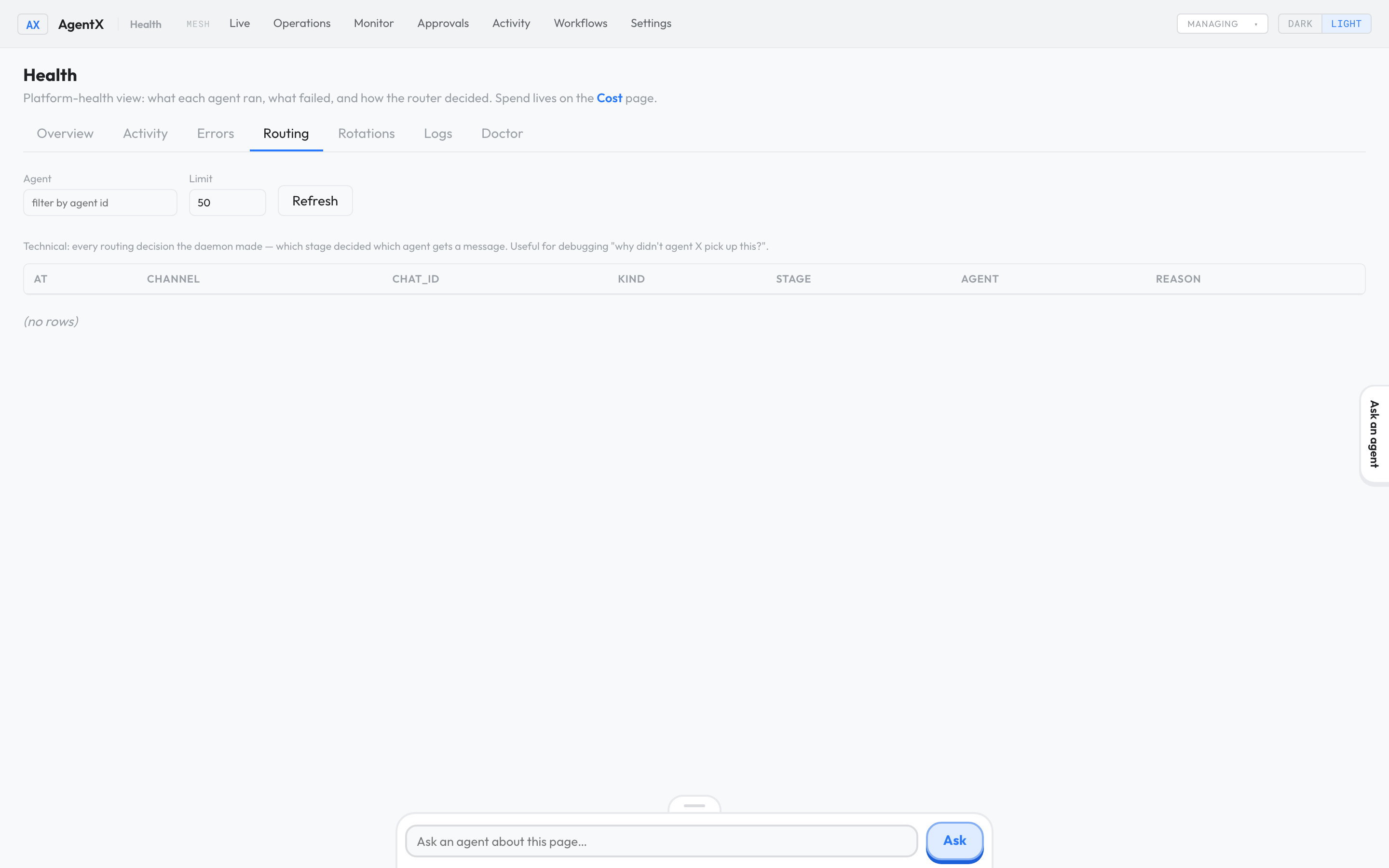
/admin/healthon your dashboard (for examplehttp://127.0.0.1:4202/admin/health). The older address/admin/observabilitytakes you to the same page. - Select the Routing tab. Each row is one message and the agent AgentX chose for it (a "route trace").
- Look for your message. If it isn't there, the message never reached AgentX: check the channel's connection (see If something is wrong).
- If the row names the wrong agent, open Settings › Channels and change which agent the channel is bound to.
- Select the Errors tab. A failed model login, a missing API key or a missing workspace folder shows up here.
- Browser: open the Activity tab of the dashboard to see whether the agent started a run for your message.
- Terminal: run the health check:shIt checks your settings, credentials and whether the daemon answers. See Run a health check.
agentx doctor - If you ask your installer for help, share the doctor output after removing any keys or tokens.
Just added an agent?
A new agent only loads when the daemon restarts.
With Docker:
- Terminal: from the folder you installed AgentX in, run:sh
docker compose restart daemon dashboard
Without Docker:
- Terminal: stop the daemon:sh
agentx daemon stop - Terminal: start it again:sh
agentx daemon start --detach
In a source checkout, type node dist/cli.js instead of agentx.
Check it worked
- Send the agent a new, short message, such as "What is 2 + 2?".
- Browser: in Activity, a new run appears for that agent.
- The reply arrives in the same chat you wrote from.
If something is wrong
- The daemon won't stay running: run
agentx daemon logsin a terminal and read the last lines. A configuration error names the setting at fault. - A Telegram bot stays silent: send it a fresh message; earlier messages are not replayed. Then run
agentx daemon logs. A line ending innot in allowlistmeans the bot is set up but your Telegram account isn't allowed to talk to it yet. See Connect Telegram. - A GitLab message gets no reply: in GitLab, open the project's webhook settings and check the recent deliveries. A failed delivery means GitLab can't reach the daemon's address.
- The agent answers, but Monitor shows failed reviews: that is the separate reviewer described on the Monitor page, not the agent itself.
agentx doctorreports errors: fix them in the order shown, then run it again.