
Chat from any dashboard page
Use Ask an agent to ask about what you are looking at without leaving the dashboard. It needs a running dashboard and daemon, plus an agent with a working model connection. See core setup.
Every dashboard page has two ways in: the input bar at the bottom (Ask an agent about this page…), and the Ask an agent tab on the right edge, which opens the conversation panel directly.
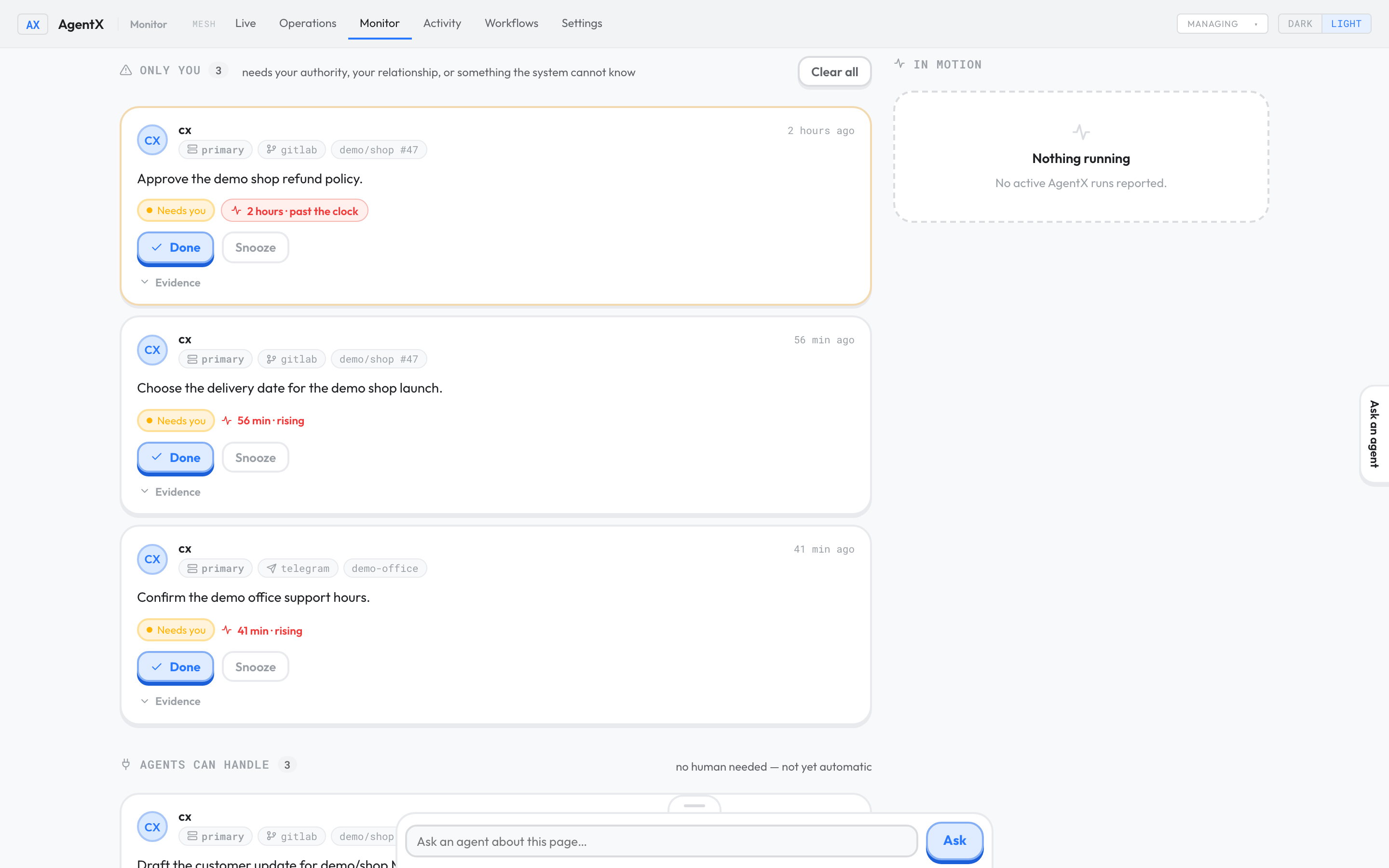
Ask a question
- Browser: open a dashboard page, such as Monitor or Activity.
- Select the Ask an agent tab on the right edge. The conversation panel opens.
- In the panel, pick an agent from the Agent list.
- To send the question to another connected machine, pick it from the Node list. Otherwise leave This node.
- Type your question in the bottom bar, for example "Summarize what needs my attention on this page."
- Select Ask.
- Read the reply in the panel. Type again to continue the conversation.
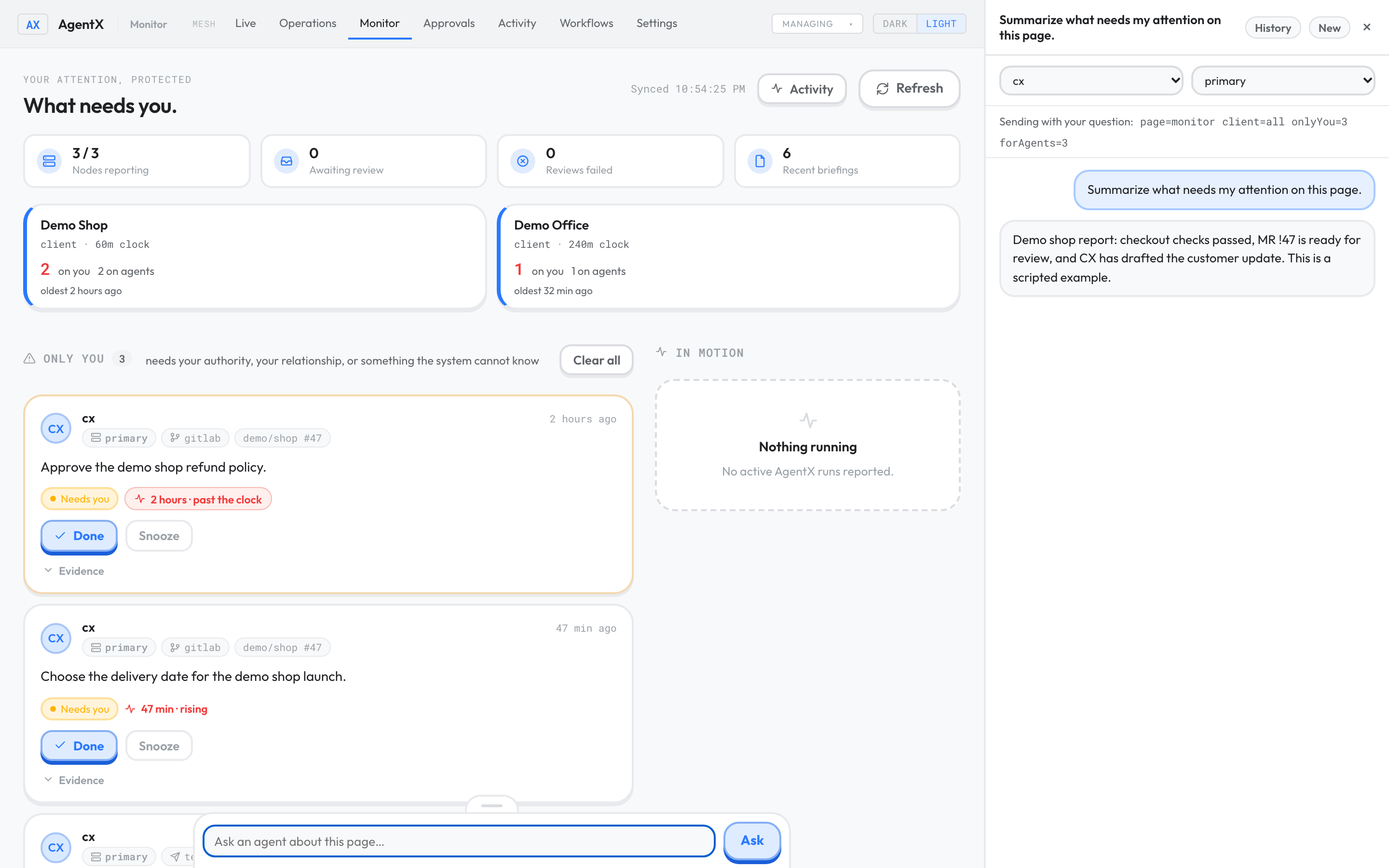
The question carries the page you're on and its tab. Some pages also send their current filters, counts or the rows in view. The agent doesn't see a picture of the page and can't browse on its own. It works with its usual tools, so if you ask it to do something, it really does it.
Continue or start over
- To reopen an earlier conversation, select History in the panel, then pick one.
- To start fresh, select New.
- To close the panel, select × or press Escape.
The browser remembers which conversation was open; the conversations themselves are stored by the dashboard. Drag the panel's left edge to resize it (or focus it and use the arrow keys). The small handle above the bottom bar hides and shows the bar.
The workflow editor has its own assistant, Ask AI to build…, which proposes workflows. See Describe what you want.
Check it worked
- Browser: open the panel. The Agent list shows your agents (not Loading agents…).
- Ask a question about the page. A reply appears in the panel.
- Select History. Your conversation is listed.
If something is wrong
- The Agent list says agents unavailable: the dashboard can't reach the daemon. Terminal: run
agentx daemon status. See It's not answering. - A question sent to another machine fails: check the connection between the machines. See Tailscale setup.
- No reply, or an error about the model: the agent's model connection isn't working. Try the agent with Test drive in Settings.
- Costs: every question uses the chosen agent's normal model and billing.