
Approvals — every decision waiting for you, in one place
Agents sometimes need your yes or no before they go ahead: publishing a draft, merging a change, running a new schedule. Approvals is one list of everything waiting for you, most urgent first. You can answer from the dashboard (it works on a phone) or from the terminal.
The list brings together five kinds of request:
| Kind | What it is | Yes does | No does |
|---|---|---|---|
| Card | A question an agent asked you directly (a decision card, explained below) | Tells the agent yes | Tells the agent no |
| Schedule | A schedule an agent asked to create or remove (schedules from chat) | Turns it on, or removes it | Drops the request, or keeps the schedule |
| Memory fact | Something an agent learned from an outside source (review what agents learn) | Lets the agent use it | Keeps it out for good |
| Wiki lesson | A lesson proposed for the shared wiki | Writes the article | Declines it |
| WhatsApp reply | A reply an agent drafted for a watched WhatsApp chat (watch a WhatsApp chat) | Sends it through wacli | Drops the draft; nothing is sent |
Answering here is the same as answering with the older commands (agentx schedule approve, agentx memory facts approve, agentx wiki proposals approve). They keep working, and both ways stay in step.
What a decision card says
An agent that needs you raises a card instead of asking in chat. Every card has:
| Field | Meaning |
|---|---|
| Title | What it is, in one line |
| Question | The yes/no question |
| Recommends | What the agent advises, and why, in one line |
| Expires | When the card decides itself if nobody answers. Every card has one |
| Then | What happens at that point: discard, keep, pause or approve |
| Source | A link to the draft, merge request or issue |
| From | The agent that asked |
When you answer, or when a card expires, the agent that asked gets a message with the result and can carry on.
Only you can answer. Agents can raise cards and read the list, but nothing they can reach approves anything.
Answer from the dashboard
- Browser: open the dashboard and click the Approvals tab (or go to
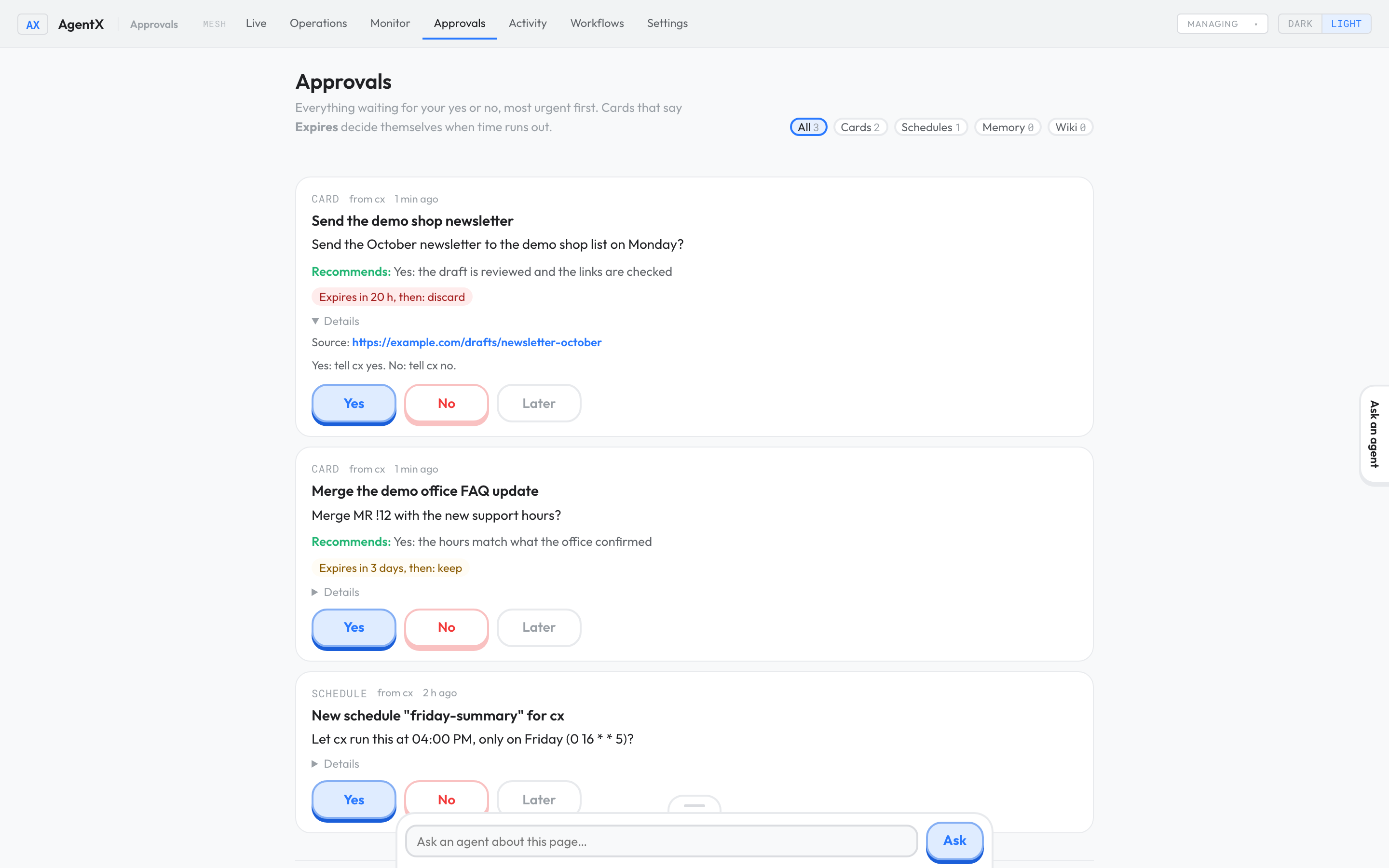
/approvals). - Browser: read the card. Click Details to see the excerpt, the source link and exactly what yes and no will do.
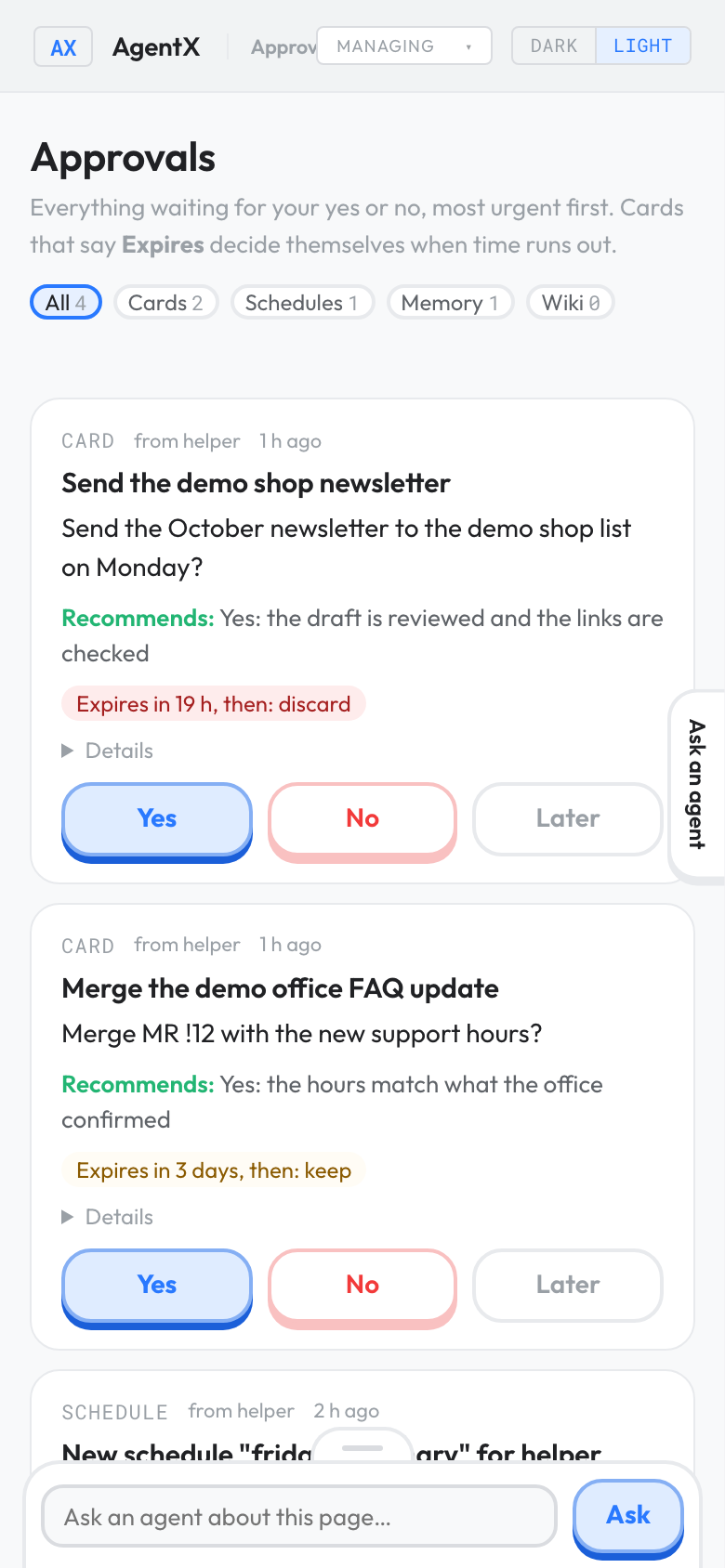
- Browser: click Yes, No or Later. Later hides the item for a day; a card still expires on time.
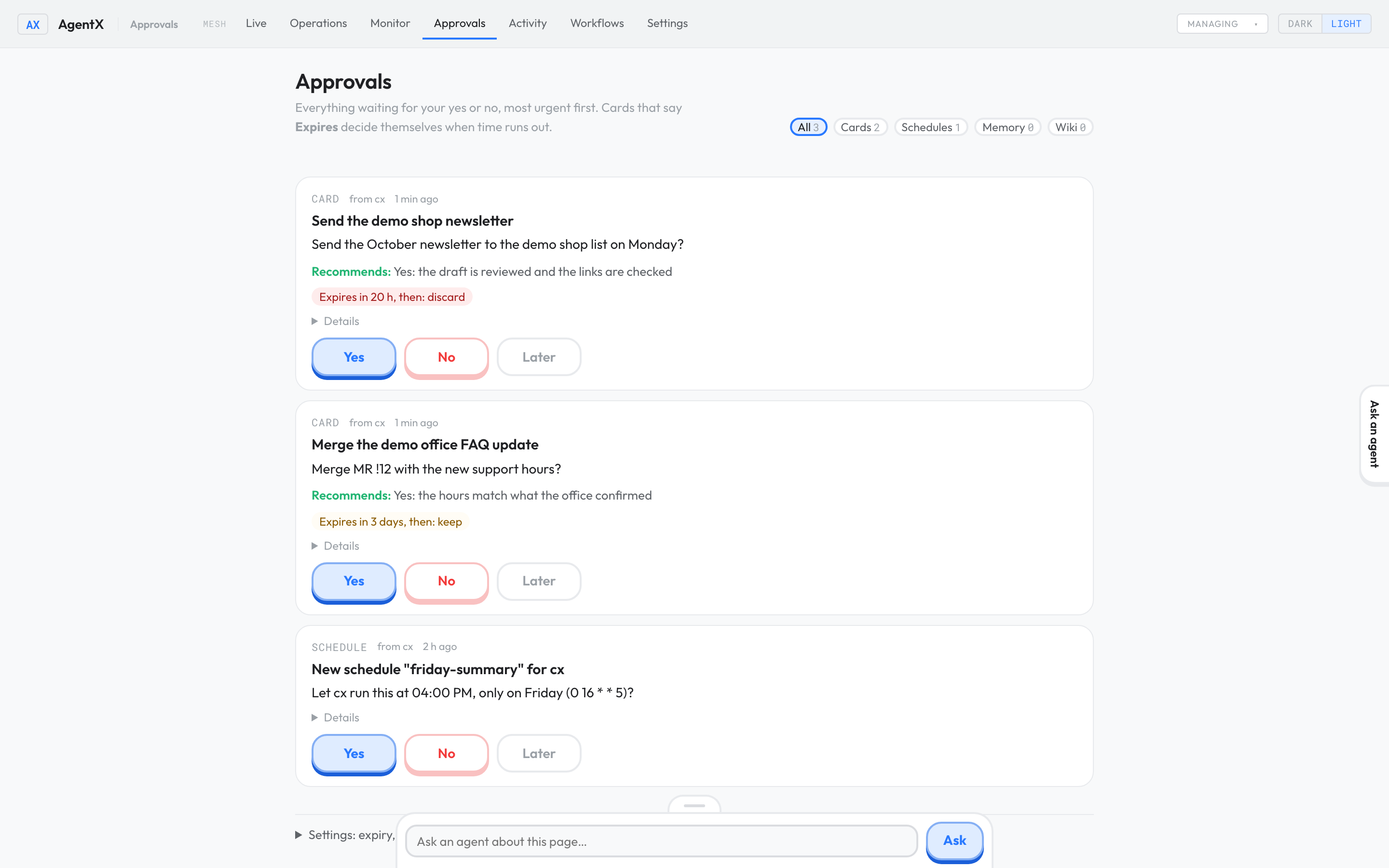
Details shows the source link and what each answer does:
On a phone the buttons fill the width of the card:
Fictional demo data. No real agents, people or messages.
To see only one kind, click Cards, Schedules, Memory, Wiki or WhatsApp at the top. With several machines connected, choose the machine in the top bar's machine menu to see its list.
Answer from the terminal
- Terminal: list what is waiting:shEach item starts with a key such as
agentx approvals listcard:2026-01-05-send-the-newsletter-ab12orschedule:friday-summary. - Terminal: answer one, using its key:shUse
agentx approvals approve card:2026-01-05-send-the-newsletter-ab12rejectfor no, orlaterto put it off. Add--note "text"to pass a note to the agent with your answer.
Get one reminder a day
Once a day AgentX sends you one message: how many decisions are waiting, and the most urgent one. It never sends one message per card. It goes to the same place as your other notifications (notifications.destination, see Get notified) unless you choose another.
To change the time, or where it goes:
- Browser: on the Approvals page, open Settings: expiry, later, daily digest at the bottom.
- Browser: change Digest time, or type a destination such as
telegram:123456in Digest goes to. - Browser: click Save settings.
Or in the terminal:
- Terminal: set the time and destination:sh
agentx approvals settings --digest-time 08:30 --digest-to telegram:123456 - Terminal: run
agentx approvals settingswith no options to see what is set.
Settings
These live under approvals in agentx.json. Every value shown is the default:
"approvals": {
  "defaultExpiryDays": 3,
  "maxExpiryDays": 30,
  "laterHours": 24,
  "notifyAgent": true,
  "digest": { "enabled": true, "time": "09:00" }
}| Setting | What it does | Terminal option |
|---|---|---|
defaultExpiryDays | Days a card gets when the agent doesn't say | --expiry-days |
maxExpiryDays | The longest any card may wait | --max-expiry-days |
laterHours | How long Later hides an item | --later-hours |
notifyAgent | Tell the agent the result | --notify-agent on|off |
digest.enabled | Send the daily message | --digest on|off |
digest.time | When, as 24-hour HH:MM | --digest-time |
digest.timezone | Time zone for time, such as Europe/Paris. Unset: this machine's | --digest-timezone |
digest.destination | Where it goes: { "channel": "…", "chatId": "…" }. Unset: notifications.destination | --digest-to channel:chatId |
For agents: raise a card
Agents raise cards with the agentx_approval tool. They don't need anything set up. To try the inbox yourself, raise a card from the terminal:
- Terminal: raise a card as one of your agents (use a real agent id from
agentx agent list):shagentx approvals request --agent helper --title "Send the newsletter" \ --ask "Send the newsletter on Monday?" --recommend "Yes: the draft is reviewed" \ --if-silent discard --expires 2d
The daemon also accepts cards over its local API, POST /approvals with the fields title, ask, recommend, if_silent, expires and source, plus raised_by (the agent id). GET /approvals lists what is waiting. Answering is refused on that API on purpose.
Check it worked
- Terminal: raise a test card with
agentx approvals requestas shown above. - Browser: open Approvals. The card is in the list with Expires in 2 days, then: discard.
- Browser: click No. The page says the agent will be told no, and the card leaves the list.
- Browser: within a minute, the Activity tab shows a short run for that agent on the
approvalschannel. That is the agent reading your answer. - Terminal:
agentx approvals listsaysnothing waiting.
If something is wrong
- The Approvals tab shows nothing, but
agentx schedule listshows a request: the dashboard reads the folder it was started in. Startagentx board servefrom the same folder as the daemon. - "Couldn't read …" above the list: one of the sources couldn't be read, so the list may be incomplete. The message says which one; the other kinds still work.
unauthorizedwhen you click a button: the dashboard has a login token (dashboard.token). Open the dashboard through its usual address so the page carries it.- An agent gets "Decisions are made by the operator only": that is expected. Agents can raise cards; only you can answer.
- An agent gets "already has 25 cards waiting": it has too many open questions. Answer or let some expire first.
- No daily message: check that
digest.enabledis on, that the time has passed today, and thatnotifications.destinationordigest.destinationis set. Nothing is sent on days when nothing is waiting. - The agent never heard the result: check
notifyAgentis on, and that the agent still exists on this machine. The daemon log line starting[approvals]says what happened.