
Connect machines with Tailscale
Use the network prerequisites checklist before pairing.
Tailscale is a private network that links your own machines over the internet. Your private Tailscale network is called a tailnet. Tailscale lets the machines reach each other; AgentX mesh pairing then tells each AgentX daemon (the background service) where its peers are and gives them a shared password. You need both before agents on different machines can work together.
The address 100.64.0.10 below is an example. Replace it with each machine's own Tailscale address.
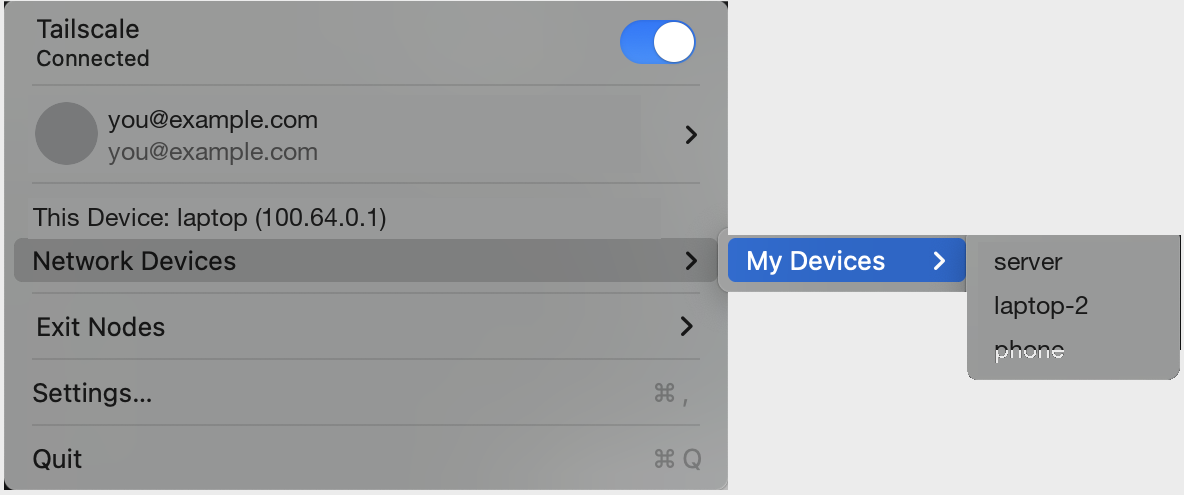
1. Join the same private network
- Install Tailscale on both machines, following the official installation guide.
- Sign in to the same tailnet on both machines.
- Terminal, on each machine: print its Tailscale address and note it down:sh
tailscale ip -4 - Terminal, on one machine: check that it reaches the other one:sh
tailscale ping <other-machine-name-or-address>
These commands are described in the Tailscale CLI reference. Your tailnet access rules and each machine's firewall must let the machines reach AgentX's port, normally 18800.
2. Make the daemon reachable
By default the daemon only listens on the machine itself (127.0.0.1, also called loopback), so other machines can't reach it.
For a normal (non-Docker) install, on each machine:
- Open
agentx.json. - Set
node.bindto the machine's Tailscale address and the daemon port, for example"bind": "100.64.0.10:18800"inside"node". - If a local tool used
http://127.0.0.1:18800to reach the daemon, includingdashboard.daemonUrl, change it to the new address. - Terminal: restart the daemon:
agentx daemon stop, thenagentx daemon start --detach. - Terminal, on the other machine: check that the daemon answers:sh
curl http://100.64.0.10:18800/health
A successful tailscale ping alone doesn't prove the daemon's port is reachable; the curl check does.
For a Docker install: the supplied Compose file only publishes ports on loopback. Change the daemon's host port mapping to the machine's Tailscale address, for example 100.64.0.10:18800:18800, and keep 0.0.0.0:18800 as the bind address inside the daemon container. Then recreate that service. The dashboard can stay local; it doesn't need to be published for pairing.
3. Pair AgentX in both directions
Run these commands in the folder that holds agentx.json on each machine. For Docker, run them inside the daemon container from /data.
- Terminal, on machine A: create an invite with A's address:sh
agentx connect mesh invite --url http://100.64.0.10:18800 - Copy the printed link. It contains a password: share it privately.
- Terminal, on machine B: join with it:sh
agentx connect mesh join '<invite-from-A>' - Terminal, on machine B: create an invite with B's own address (
agentx connect mesh invite --url http://<B's address>:18800). It reuses the shared password. - Terminal, on machine A: join with B's link.
- Terminal, on both machines: restart the daemon so it loads the new password from
.env. For Docker, restart the services.
Joining only adds the inviting machine to the joining machine's list, which is why steps 4 and 5 repeat it the other way.
Check it worked
- Terminal, on each machine: run
agentx mesh list. The other machine shows ashealthy, with its number of agents. - Browser: open the Operations tab and check that both machines appear. See Operations.
- Send a small test task by following Agent-to-agent communication.
If something is wrong
tailscale pingfails: the machines aren't in the same tailnet, or the tailnet's access rules block them. Check the Tailscale app on both.curl …/healthfails buttailscale pingworks: checknode.bind, that the daemon was restarted, and the firewall on port18800.agentx mesh listshowsunreachable: the same checks as above, on the peer that is unreachable.- An authentication error: the two machines hold different mesh passwords, or a daemon hasn't restarted since pairing. Restart both daemons.
- Only one machine sees the other: pairing was done in one direction only. Do steps 4 and 5 of section 3.