
Terminal UI with OpenCode
Start with the terminal prerequisites and installation steps.
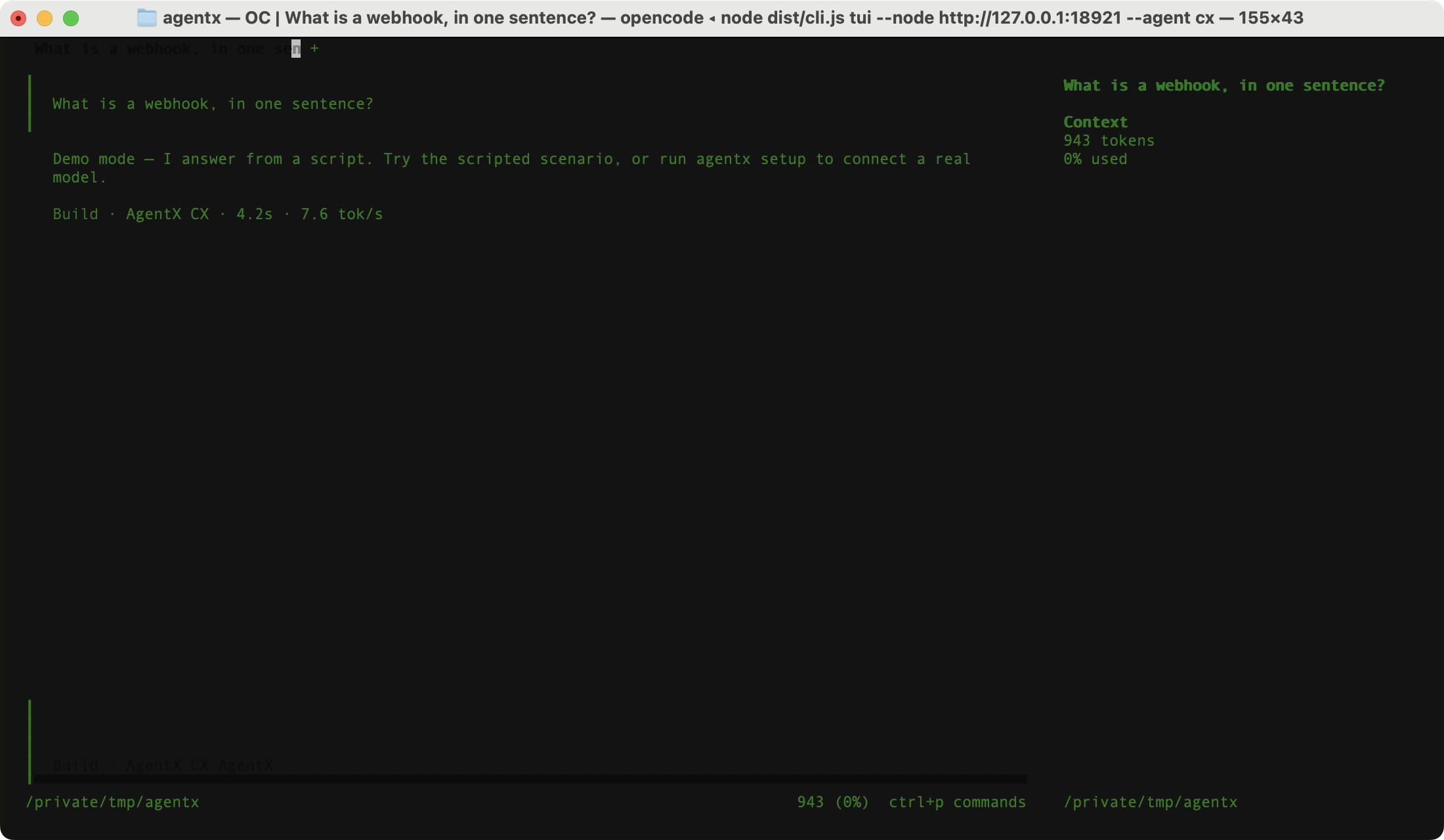
agentx tui lets you talk to an AgentX agent from a terminal window. It opens OpenCode, a separate terminal chat program, with your agent in place of a model. AgentX runs the agent and its tools; OpenCode only supplies the conversation screen. No OpenCode plugin is needed.
Start a session
- Terminal: make sure the daemon (the AgentX background service) is running:sh
agentx daemon status - Terminal: check that OpenCode is version 2 or newer:sh
opencode --version - Terminal: open the terminal UI with the agent you want, using its id from your settings (here
support):shagentx tui --agent support - Type a message in OpenCode and press Enter.
Without --agent, the first agent the daemon lists is used. From a source checkout, replace agentx with node dist/cli.js. The command must run in an interactive terminal window.
AgentX passes OpenCode its settings for this one session only. It first starts a private OpenCode server, waits until that server reports it is ready, and then opens the OpenCode screen connected to it. When the screen closes, the server is stopped. If the server cannot be started, AgentX opens OpenCode in standalone mode instead. Your saved OpenCode settings are not changed.
If OpenCode is missing: the built-in terminal UI
If OpenCode is missing, its version can't be read, or it's older than version 2, AgentX prints the reason and opens its own simpler terminal UI instead. To choose that UI on purpose:
- Terminal: run:sh
agentx tui --legacy
If OpenCode starts and then fails, AgentX reports the error; it does not switch to the built-in UI on its own. See the OpenCode v2 documentation to install or update OpenCode.
Connections and limits
--config path/to/agentx.jsonuses another settings file.--node http://127.0.0.1:18800connects to a different daemon address.--token(a password for another machine's daemon) works with the built-in UI only. The OpenCode launch doesn't pass it on, so connecting OpenCode to a remote daemon that needs a token takes extra OpenCode setup. Start with the daemon on your own machine.
OpenCode receives the agent's finished text. It does not see the agent's tool use or the reply word by word; the agent still uses its own tools while it works. The model account belongs to AgentX: installing OpenCode does not give you one.
To set up AgentX models inside OpenCode yourself, see the integration README.
Check it worked
- Terminal: run
agentx tui --agent support(with your agent's id). - The terminal prints
Opening <OpenCode version> with AgentX model support.and OpenCode opens. - Send a short message. The agent's answer appears in OpenCode, and the task shows on the dashboard's Live tab.
If something is wrong
agentx tui requires an interactive terminal: run it directly in a terminal window, not from a script or a pipe.OpenCode … is too old: update OpenCode to version 2 or newer, or use--legacy.Unknown AgentX agent: …: the id after--agentdoesn't match any agent. Check the ids in the dashboard's Settings › Agents.No AgentX agents returned by …: the daemon has no agents, or you connected to the wrong address. Checkagentx daemon statusand--node.OpenCode exited with code …: OpenCode itself failed. Runopencodeon its own to see its error.- OpenCode shows an empty screen for a few seconds and then closes: its screen gave up waiting for its own server. If the terminal also printed
OpenCode server not started (…), AgentX fell back to standalone mode, which has the old timeout; the reason in brackets says why the server could not start. Otherwise update AgentX: older releases always used standalone mode.