
Monitor — what needs you, and what doesn't
Monitor groups work into Only you, Agents can handle, In motion, and Session briefings:
- Only you lists what needs a person: a decision, an approval, or something the system can't know.
- Agents can handle lists work that doesn't need a person. It does not mean AgentX already does it automatically.
- In motion shows runs that are still going.
- Session briefings are the short summaries each finished task leaves behind.
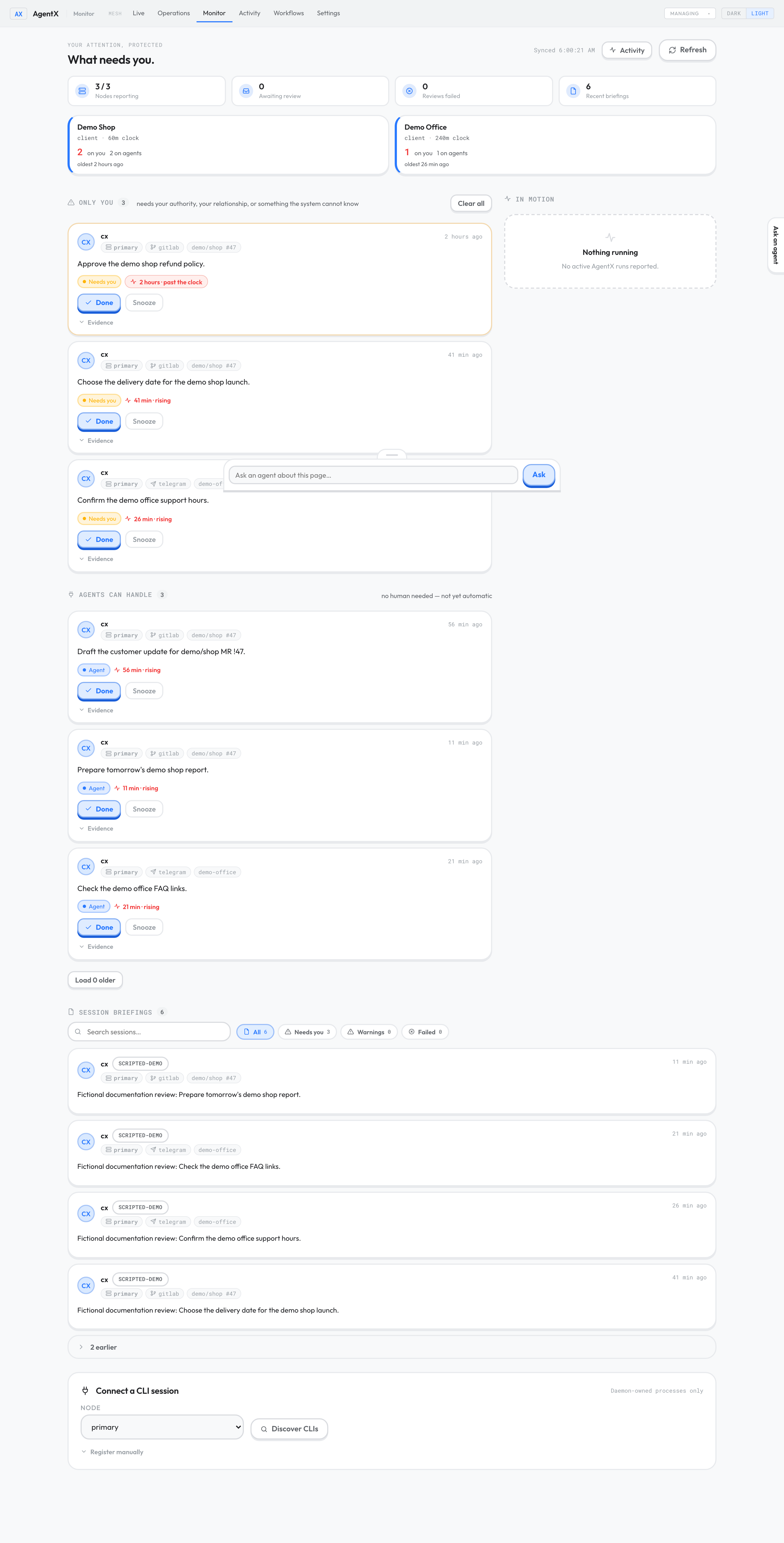
Seeded demonstration reviews. No customer work or real review model was used.
Where the items come from
After an agent finishes a task, AgentX reviews it and writes down what is left to do. An item appears only once the task has finished and its review has succeeded. Some routine work is never reviewed, such as successful scheduled jobs and internal workflow steps. Work done in a separate terminal tool (for example a Claude Code session outside AgentX) only appears if that tool is set up to report its sessions to AgentX.
The review runs with Claude Code on the machine that runs the daemon (the AgentX background service). This is separate from the model the agent itself used, and reviews can use paid model usage. The scripted demo turns the real reviewer off and uses labelled fictional items.
Handle what needs you
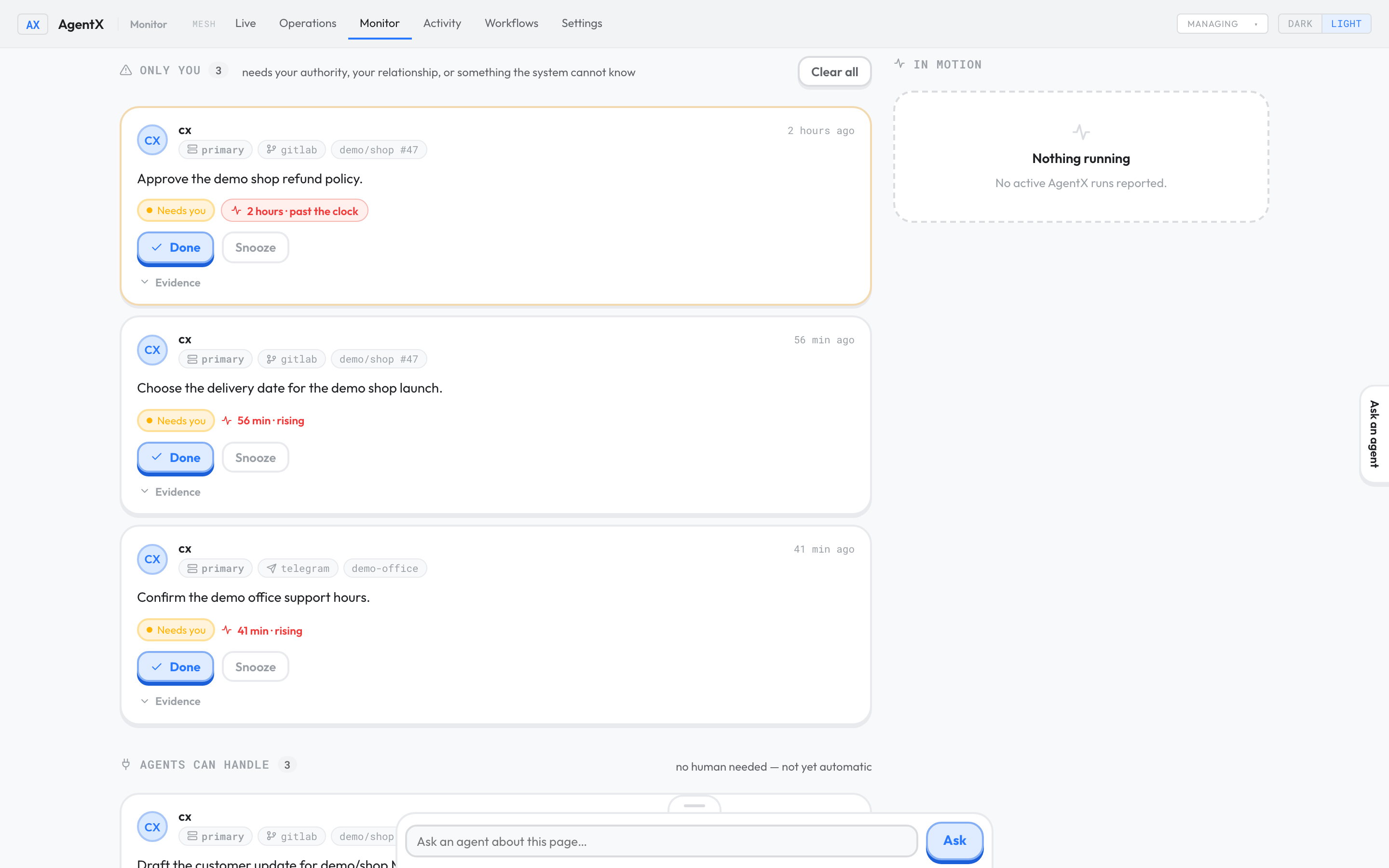
- Browser: open the dashboard and select the Monitor tab.
- Read the first card under Only you.
- To see why it was raised, select Evidence under the card.
- Do the work itself, outside Monitor (reply to the client, approve the change, and so on).
- Select Done. The card leaves the open list.
To deal with a card later, select Snooze instead. The card moves out of the immediate list; select Bring back to return it. Clear all marks every open card done, on every machine. These buttons only organise the list. They never do the underlying work.
Each card shows how long it has been waiting. If you have set how quickly a client expects an answer, the time is marked rising, then past the clock when that time is up. Without such a setting, waiting time stays flat.
Hand work to an agent
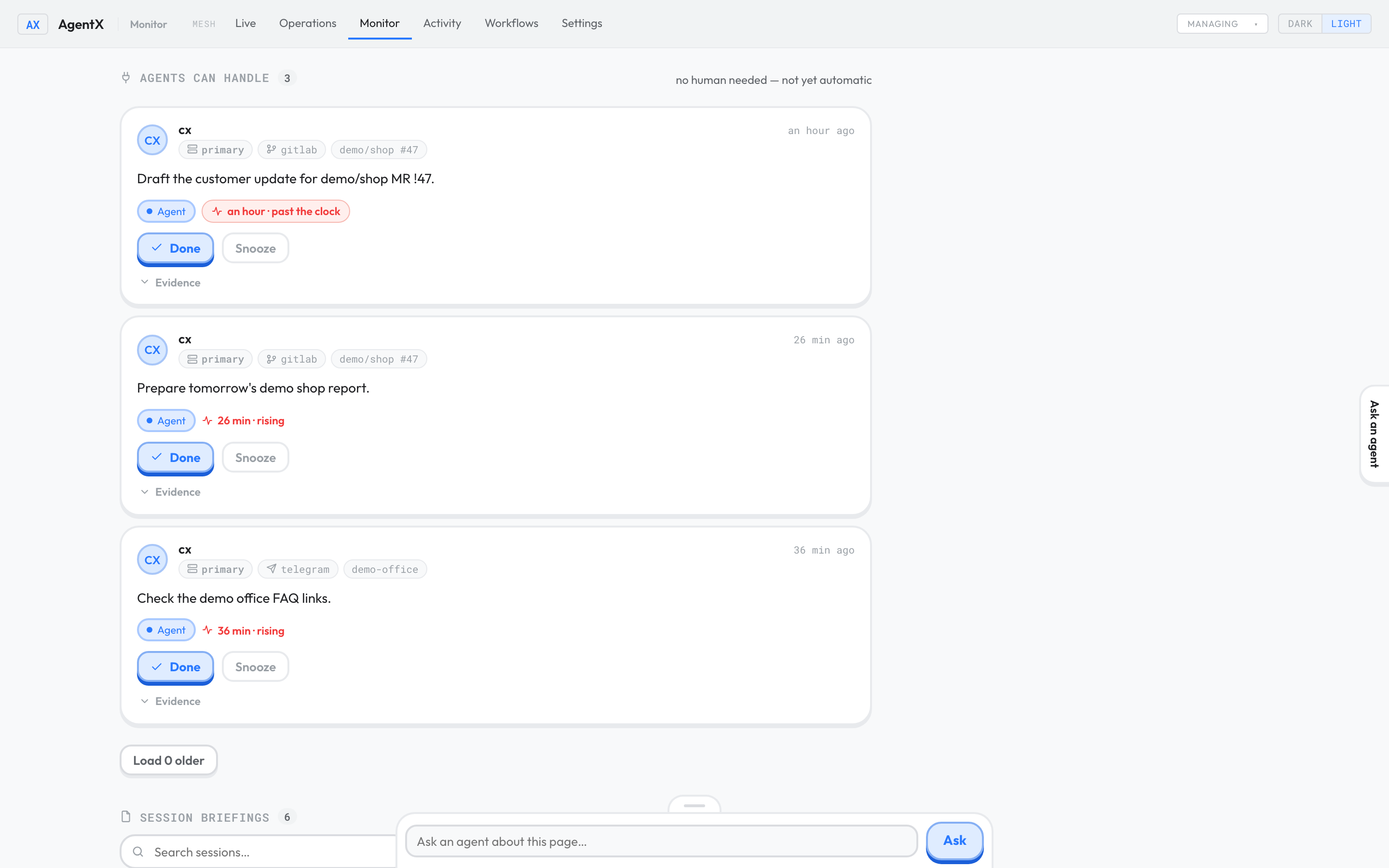
- Browser: scroll to Agents can handle.
- Read a card and decide whether an agent should take it.
- Ask the agent to do it, for example from in-page chat or the channel you normally use.
- Select Done on the card once the work is handed over.
The agentx monitor terminal command is something else: it connects external terminal sessions to these reviews. For a record of ordinary agent work, open Activity.
Check it worked
- Browser: open Monitor. The strip at the top shows Nodes reporting, Awaiting review, Reviews failed and Recent briefings.
- Nodes reporting shows every machine you expect, for example
1 / 1. - After an agent finishes a task, Awaiting review goes up, then back down, and a new briefing appears.
- Select Done on a card. It disappears and stays gone after you reload the page.
If something is wrong
- Reviews failed goes up: the reviewer couldn't run. Terminal: on the daemon's machine, run
claude --versionto check Claude Code is installed, then make sure it is signed in. - Nothing ever appears: the task may still be running, or it was routine work that isn't reviewed (such as a successful scheduled job). Check Activity to confirm the task finished.
- A machine is listed as not reporting: its daemon or the connection to it is down. See Add a second machine.
- Nothing ever becomes "past the clock": no response time is set for that client, so waiting stays flat.