
Create your first agent
An agent is an AI helper with one job. This page creates one from the setup page, then checks that it answers. You need AgentX installed and a model connection:
- An API provider (such as the Anthropic API) needs an API key.
- A command-line tool (Claude Code, Codex CLI or OpenCode) must be installed and signed in on the machine that runs AgentX. The setup page calls these CLI engines.
No model yet? The scripted demo lets you look around without one.
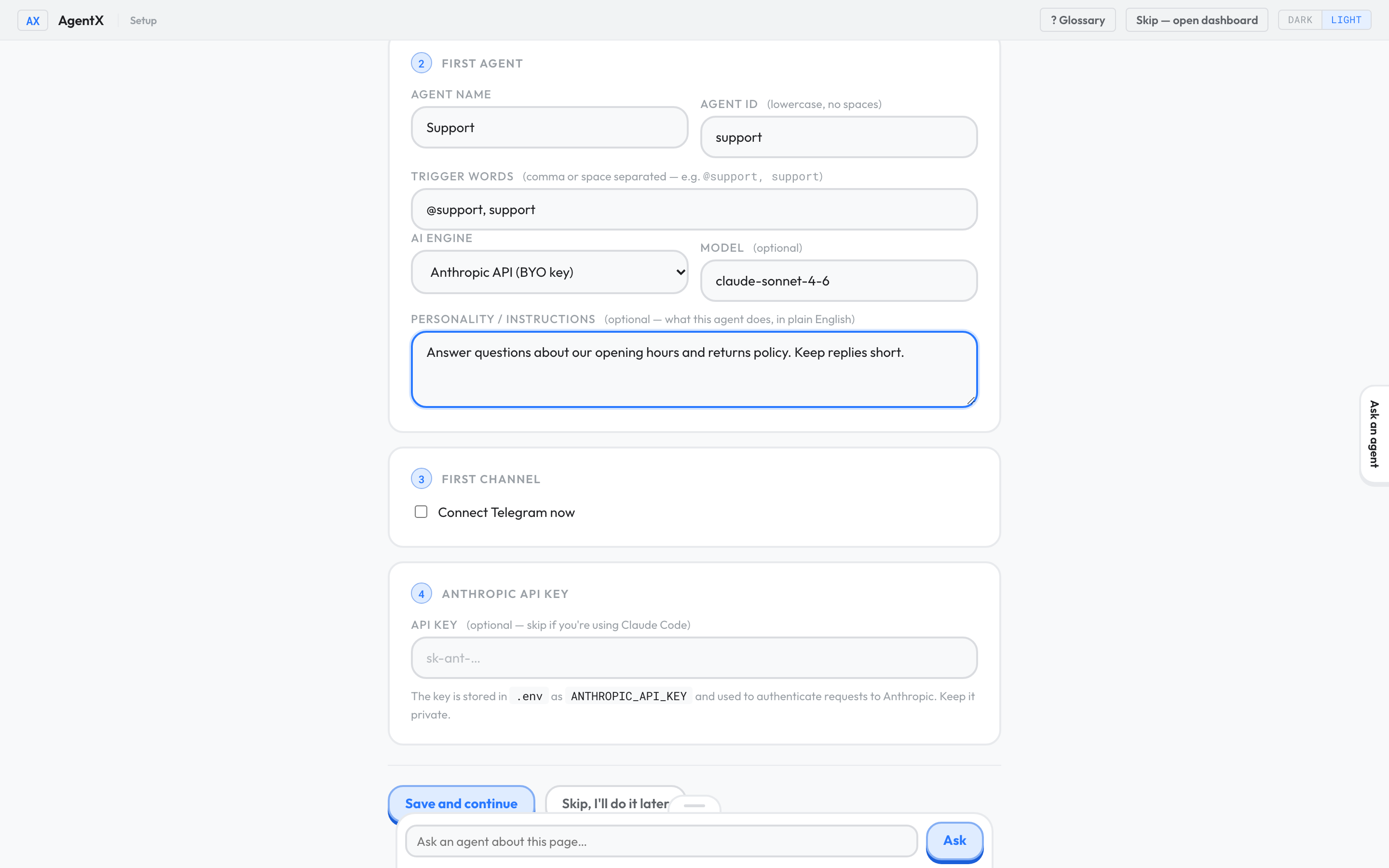
Fill in the setup page
- Browser: open
/setupon your dashboard, for examplehttp://127.0.0.1:4202/setup. - Under Team basics, enter a Team name, such as
My Team. - Under First agent, enter an Agent name, such as
Support. - Enter an Agent id, such as
support. Use lowercase letters, numbers and dashes, with no spaces. - Set Trigger words to
@support, support. A message that contains a trigger word goes to this agent. - Choose an AI engine. For an API key, choose Anthropic API (BYO key). For a CLI engine, choose the tool that's installed on the machine.
- Leave Model as it is, unless you know which model you want.
- Under Personality / instructions, describe one narrow job in plain words, for example: "Answer questions about our opening hours and returns policy. Keep replies short."
- Leave Connect Telegram now unticked. You'll test the agent first.
- If you chose Anthropic API (BYO key), paste your key into API key under Anthropic API key. It's saved in the
.envfile next toagentx.json, not in the dashboard. - Select Save and continue.
Start or restart the daemon
The daemon (the background service that runs agents) only loads new agents when it starts.
- Nothing running yet (local install): select Start daemon now on the setup page.
- Docker:
- Terminal: in the AgentX folder, run
docker compose restart daemon dashboard.
- Terminal: in the AgentX folder, run
- The daemon was already running (local install):
- Terminal: stop it with
agentx daemon stop. - Terminal: start it again with
agentx daemon start --detach.
- Terminal: stop it with
In a source checkout, type node dist/cli.js instead of agentx.
Try it out
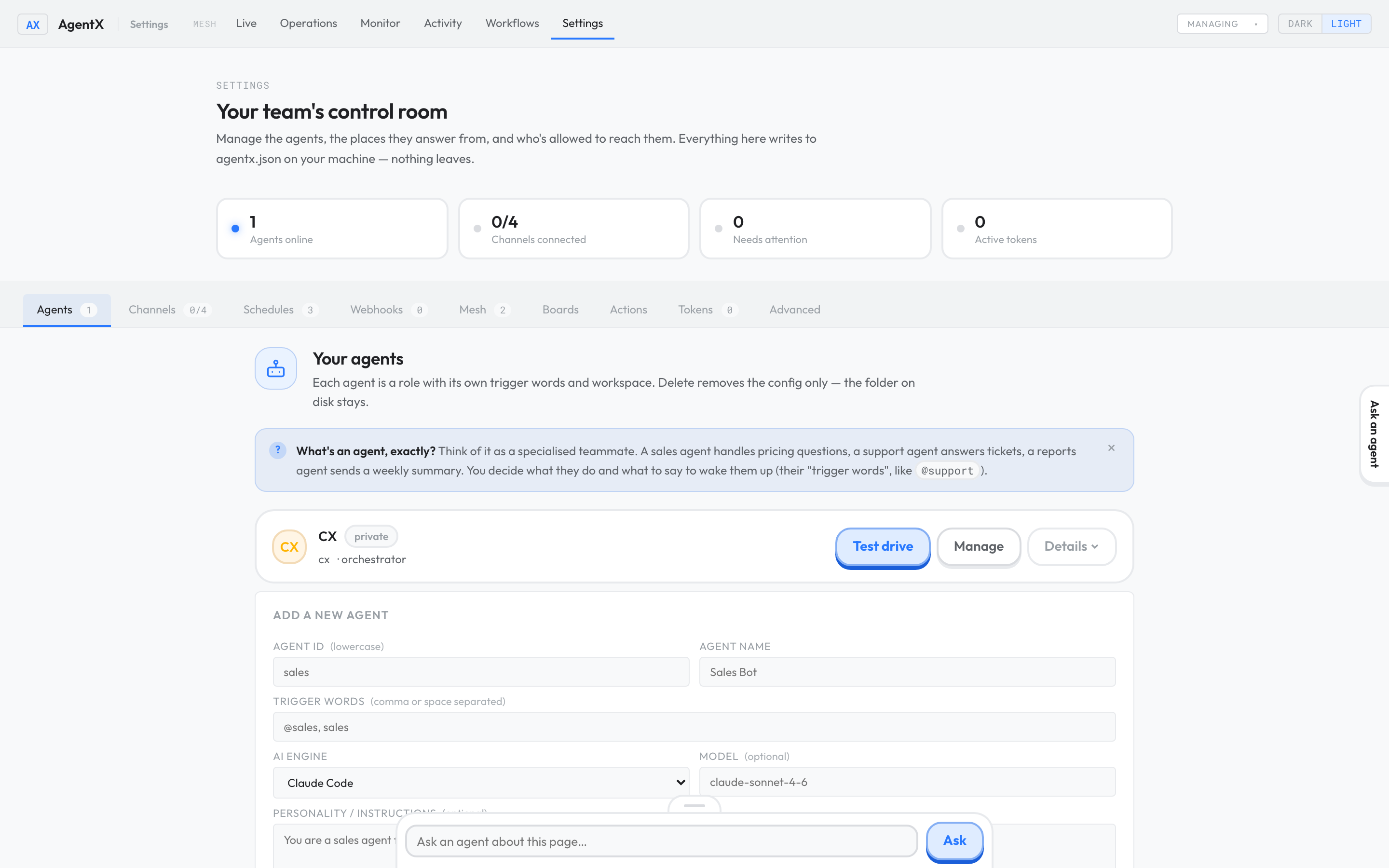
- Browser: open the Settings tab. The Agents section opens first.
- Select Test drive next to your new agent.
- Send a small question with an answer you can check. This uses your model and may cost money.
Then connect Telegram if you want to talk to the agent from your phone.
Check it worked
- The Test drive window shows the agent's reply.
- Browser: the Live tab shows the agent, and the run appears there while it works.
- Browser: the Activity tab lists the finished run. See Activity.
If something is wrong
- Save and continue shows an error about the Agent id: use only lowercase letters, numbers,
-and_, starting with a letter or number. - The agent isn't listed in Settings or Live: the daemon hasn't loaded it. Restart the daemon as above.
- Test drive returns an error about a key or login: for Anthropic API (BYO key), check
ANTHROPIC_API_KEYin.env. For a CLI engine, check the tool on the machine, for exampleclaude --version, and sign in to it. - Nothing happens at all: run
agentx daemon status. If it saysDaemon is not running, start it. Then see It's not answering.