
Find and follow up sales leads
The sales agent finds new leads, sends you a short brief every weekday morning, watches your competitors' websites, and drafts follow-up messages for leads that went quiet. A lead is a person or company that might buy from you. Every fact it sends you links to the page it came from, and it never contacts anyone: you read each draft and send it yourself.
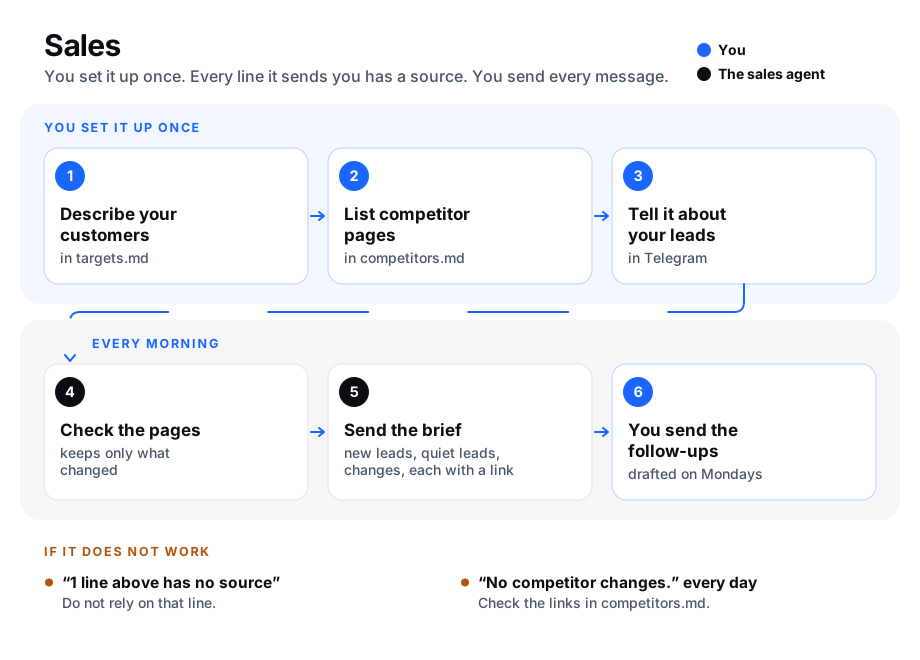
At a glance
| Question | Answer |
|---|---|
| The problem | Leads go quiet because nobody followed up, and nobody has time to research prospects or watch competitors. |
| What AgentX does | Finds up to 10 new leads a week, sends a brief every weekday morning, reports only what changed on competitor pages, and drafts a follow-up for each quiet lead. |
| What you approve | Everything that reaches a person. The agent cannot send: you send each draft yourself. |
| What it costs | About 12 runs a week on your model account, plus the questions you ask. See What this costs. |
| First result | agentx sales watch lists the pages it watches; the next weekday after 08:30 the brief arrives in Telegram. See Check it worked. |
It comes as the ready-made team sales-follow-up: one agent, sales, and four schedules (tasks that run by themselves at set times).
| Schedule | When | What you get |
|---|---|---|
sales-competitor-watch | Weekdays, 07:30 | Nothing in your chat. It checks the competitor pages and keeps what changed for the brief. |
sales-weekly-research | Monday, 08:00 | Up to 10 new leads that match the customers you describe, every fact with its link. |
sales-daily-brief | Weekdays, 08:30 | New leads, quiet leads, and what changed on the competitor pages, each line with its link. |
sales-monday-follow-ups | Monday, 09:00 | How many leads went quiet, and one draft message for each. |
Times are in your computer's time zone. Each run uses your model account; see What this costs.
You need:
- AgentX installed, with an
agentx.json. See Install. - A Telegram account, to get the brief and the drafts. See Connect Telegram.
1. Add the team
Terminal: in the folder that holds
agentx.json, run:bashagentx team add sales-follow-upTerminal: connect the agent to your Telegram, and follow the steps it prints:
bashagentx connect telegram --agent salesTerminal: start the daemon (the AgentX background service), or restart it if it was running:
bashagentx daemon restart
The agent's folder is agents/sales/, next to agentx.json. Its files are plain text you can open and edit.
2. Describe the customers you look for
Create the file
agents/sales/targets.mdin a text editor.Type, in a few sentences, who you want to sell to. For example:
mdSmall accounting firms in Lyon, 5 to 50 staff, that do payroll for their clients.Save the file.
Every Monday the agent searches the web for organisations that match, and leaves out anyone already in your leads or in your opt-outs. You can also ask in Telegram at any time, for example @sales find bakeries in Lille that cater for offices.
Every fact in the answer ends with the link to the page it came from. AgentX checks the answer before it reaches you: if a line states something without a link, the message ends with ⚠ 1 line above has no source and names the line. Do not rely on that line until you have checked it.
3. List the competitor pages to watch
Create the file
agents/sales/competitors.mdin a text editor.Add one line per page: a dash, a name, a bar, and the link. For example:
md- Example Rival | https://rival.example/pricing - Sample Rival | https://sample.example/newsSave the file.
Each weekday morning the agent reads every page and compares its text with the last check. Only lines that appeared or went away reach your brief, each with the page's link. The first check of a new page only records it; changes show from the next check.
4. Tell the agent about your leads
- Telegram: write to your bot, for example
new lead: Sam at Example Ltd, sent a quote on Tuesday. - Telegram: after a call or an email, tell it, for example
spoke to Sam today, next step: send the contract.
The agent keeps the list in agents/sales/leads.md, one line per lead:
- Sam | Example Ltd | last contact 2026-01-06 | offered: quote | next: send the contract | added 2026-01-02A lead is quiet when its last contact is 7 days old or more and its next step is not done.
The Monday research only reports the leads it finds; it cannot add them to leads.md, because it runs read-only. To follow up a lead from the research, tell the agent about it in Telegram (new lead: ...), or add its line yourself. Until then the morning brief does not list it under New leads.
5. Record people who ask not to be contacted
When someone asks you to stop writing to them, record it once. They are then left out of every brief, every research list and every draft.
Telegram: tell the agent, for example
Sam at Example Ltd asked us to stop writing.Or Terminal: in
agents/sales/, run:bashagentx sales opt-out "Sam" --company "Example Ltd" --reason "asked by email"
The list is in agents/sales/opt-outs.md. Leave the company out to stop contact with that person at every company.
6. Approve and send the drafts
- Telegram: on Monday at 09:00, read the drafts. Each one is under the lead's name.
- Edit a draft if you want, then send it yourself, from your own email or phone.
- Telegram: tell the agent what you sent, for example
sent to Sam. It sets the lead's last contact to today.
The agent cannot send a message itself: every sales schedule runs read-only, so the agent may read, search the web and print, but not write files, post or send anything. AgentX blocks anything else and logs the attempt.
Commands the agent uses
You can run these yourself in agents/sales/ (or add --workspace agents/sales from anywhere):
| Command | What it does |
|---|---|
agentx sales leads | Lists new leads (added today or yesterday) and quiet leads, leaving out opt-outs. --quiet-only lists only quiet leads; --days 10 changes when a lead counts as quiet. |
agentx sales watch | Checks the pages in competitors.md and prints only what changed since the last check. |
agentx sales changes --since 24h | Lists the changes recorded by watch in that time, for example 3d for three days. |
agentx sales check <file> | Lists the lines of an answer that state a fact without a link. Use - to read what you paste. |
agentx sales opt-out <name> | Records that someone asked not to be contacted. --company and --reason are optional. |
To have any other schedule's answers checked for links the same way, set "requireSources": true on it in agentx.json. See schedule settings.
Check it worked
- Terminal: in
agents/sales/, runagentx sales leads. It lists your leads under New leads and Quiet leads, each with[leads.md](leads.md). - Terminal: run
agentx sales watchtwice. The first time it says Now watching for each page; the second time, No competitor changes. - Terminal: run
agentx schedule list. The foursales-schedules are listed. - Telegram: the next weekday after 08:30, the brief arrives, every line with a link.
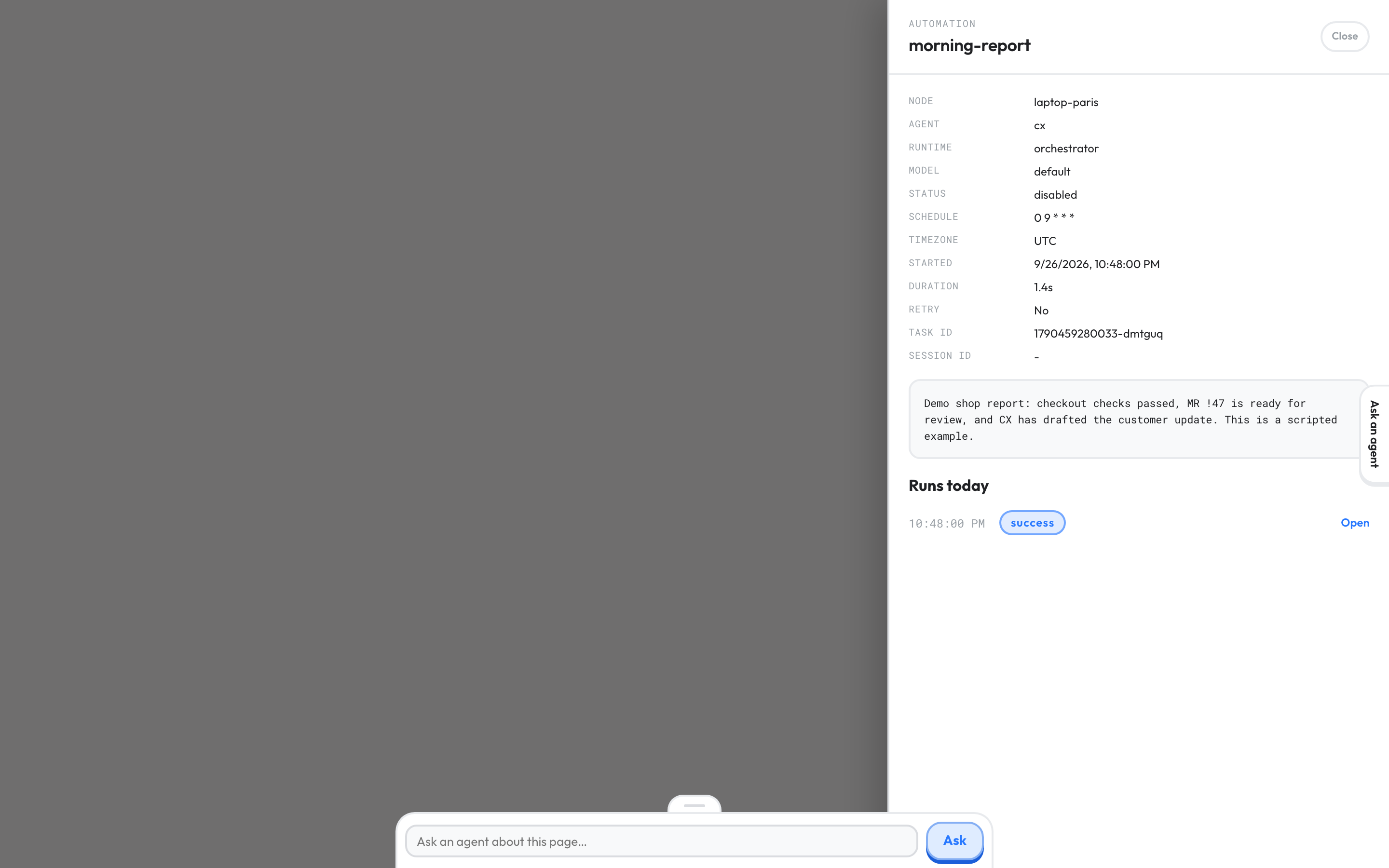
- Browser: open the dashboard, select Operations, switch the view to Operations, and find
sales-daily-briefunder Today's automations. Its drawer lists the run with an Open link. See Operations.
If something is wrong
- The brief ends with "⚠ 1 line above has no source". The agent wrote a fact without its link. Check it yourself before you use it. If it happens often, open
agents/sales/.claude/skills/lead-research/SKILL.mdand make the example answer closer to what you want. - The brief says "No competitor changes." every day. A page may be failing. In
agents/sales/,agentx sales watchprints Could not check with the page and the error; fix that link incompetitors.md. Some sites refuse automated readers; watch another page of theirs. - A page shows many changes every day. It shows something new on each visit, such as a date or a counter. Watch a calmer page, such as the pricing page.
- Someone who opted out still shows up. The name or the company in
agents/sales/opt-outs.mdis spelled differently fromleads.md; they must match. Leave the company empty to match the person at every company. - No brief arrives. The schedules may not know your chat yet:
agentx team notify sales-follow-up mesends their answers there.agentx daemon statusshows whether the daemon runs. See Start from a ready-made team. agentx team addsays "already in this install". You added the team before. To get the new schedules, remove the oldsalesagent and itssales-schedules, then add the team again.