
Add a second machine
You can keep all your agents on one machine. Add another only when an agent needs tools or files that live elsewhere.
Each machine runs its own AgentX daemon (the background service). Connected machines form a mesh, and each machine in it is a peer (or node) of the others. Peers need a private network path to each other; Tailscale setup shows one way to get it.
Pair the machines
- Terminal, on the first machine: in the folder that holds
agentx.json, create an invite:shIf the second machine reaches this one on a different address (such as a Tailscale address), addagentx connect mesh invite--url http://<this-machine's-address>:18800. - Copy the join link it prints. It contains a password: share it only with the person setting up the second machine.
- Terminal, on the second machine: install AgentX and run its setup. See Install.
- Terminal, on the second machine: join with the link:sh
agentx connect mesh join '<link>' - Terminal, on both machines: restart the daemon so it loads the new mesh settings:
agentx daemon stop, thenagentx daemon start --detach.
Joining adds the first machine to the second machine's peer list. For each machine to see the other, repeat steps 1–5 in the other direction. See Tailscale setup › Pair AgentX in both directions.
Don't make the daemon reachable from the public internet just to get pairing working. Use a private network between the machines.
Check it worked
- Terminal, on either machine: run
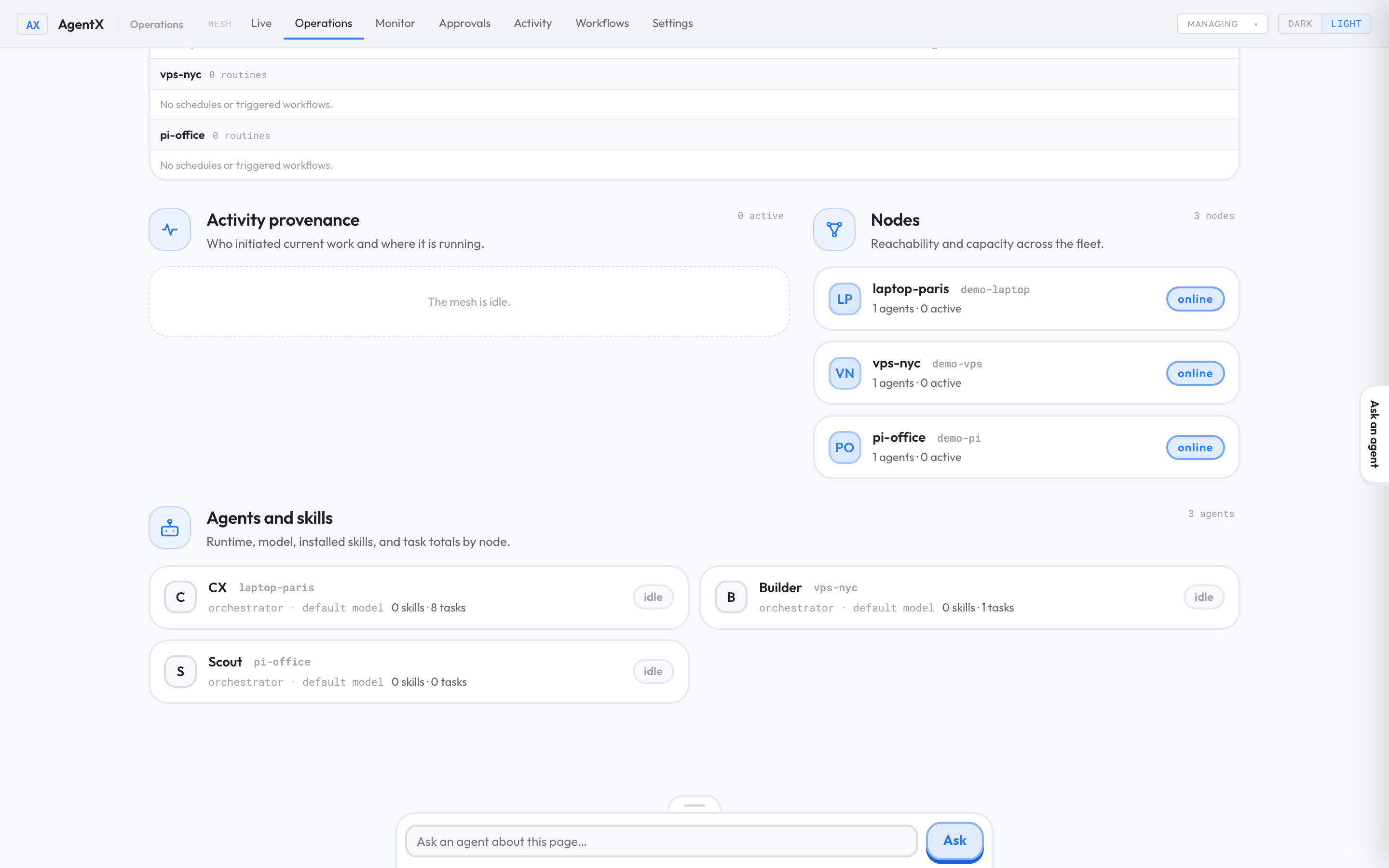
agentx mesh list. The other machine is listed ashealthy, with its number of agents. - Browser: open the Operations tab. Both machines appear. See Operations.
- Send a small test task to an agent on the other machine: see Agent-to-agent (A2A).
If something is wrong
joinsays it could not reach the peer: the second machine can't reach the first machine's address. Check the address in the invite, the network and any firewall.agentx mesh listshows the peer asunreachable: check that its daemon is running (agentx daemon status) and listens on an address the other machine can reach. See Tailscale setup.agentx mesh listsaysMesh: disabled: this machine hasn't joined a mesh yet, or its daemon settings weren't saved. Run the join step again.- An authentication error: the machines hold different mesh tokens, or a daemon wasn't restarted after joining. Restart both daemons.
401when you reload, send a message, stop a task or kill a process on the other machine: these control calls need the mesh token when they come from another machine. On the same machine they need no token. From another machine, pass--tokenwith the mesh token. The dashboard token is not accepted.- Only one machine sees the other: pairing was done in one direction. Repeat it the other way.