
3. Multi-agent group — a team in one Telegram chat
Time: 15 minutes · Ends at: three agents (Sales, Support, PM) sharing one Telegram group, each with its own bot account, routed by @mention, able to hand work off to each other.
Scenario
A small consultancy has one Telegram group where the whole team hangs out. They want three AI teammates in that group:
- @sales_bot — qualifies inbound leads, drafts proposals
- @support_bot — answers product questions, triages bugs
- @pm_bot — tracks work, posts standups
A human mentions the agent they need. The agents can also mention each other to hand work off — e.g. Sales asks PM for a delivery date before writing a proposal.
Why one bot account per agent
Each Telegram bot is a distinct account with its own @handle and avatar. That's what lets a human see which AI is replying — otherwise every reply looks the same. AgentX's accounts map supports this directly: one account per agent, each with its own token.
If you haven't made a Telegram bot before, start here:
First time with @BotFather?
Telegram bots without the jargon →. Repeat the walkthrough three times — one bot per agent — before continuing.
Step 1 — Create three agents
Go to Settings → Agents → Add a new agent. Add three:
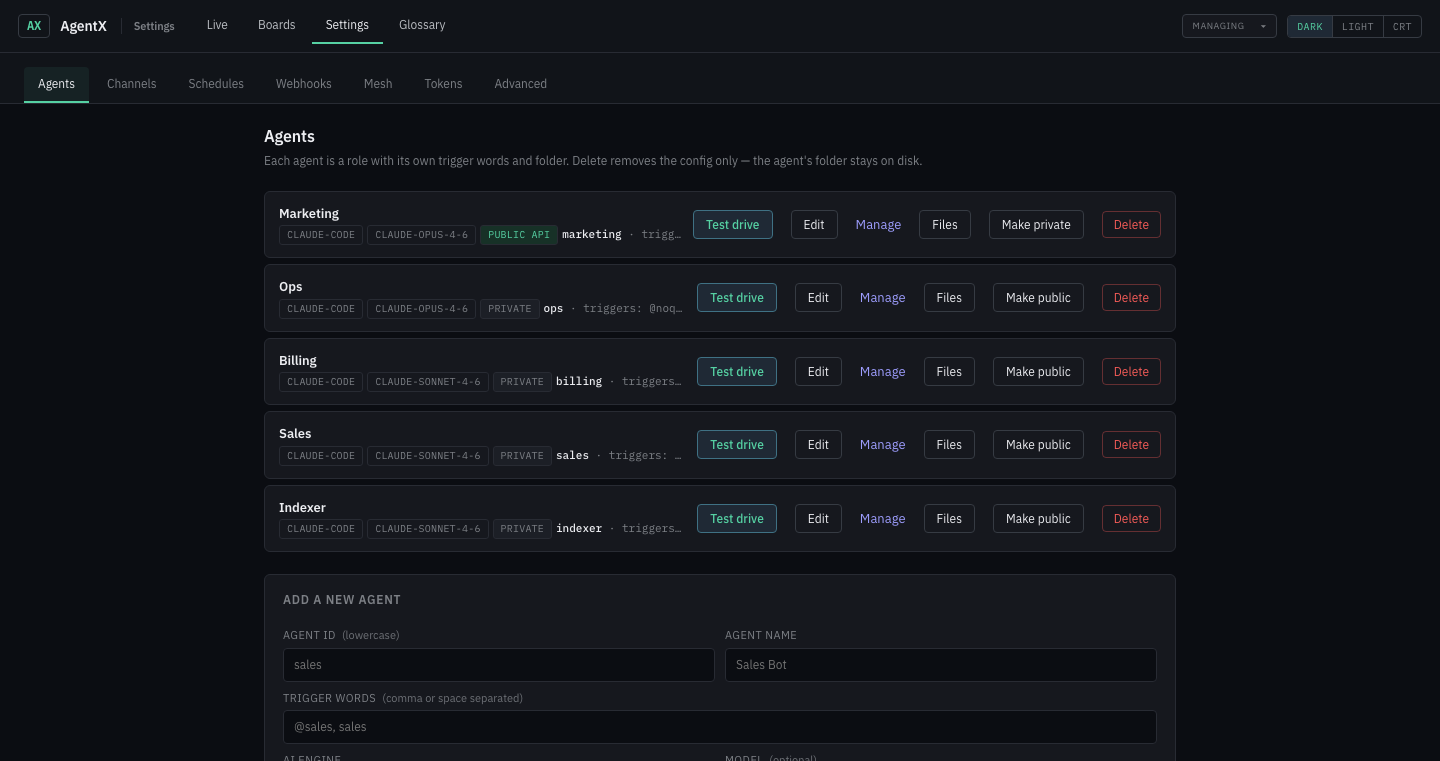
| ID | Name | Trigger words |
|---|---|---|
sales | Sales | @sales_bot, sales |
support | Support | @support_bot, support |
pm | PM | @pm_bot, pm, standup |
Leave model on defaults. Click Add agent after each.
Step 2 — Give each a personality
Click Manage on each agent's card and fill in its CLAUDE.md. Three short files, three distinct voices:
# Sales

You qualify inbound leads and draft proposals for a B2B consultancy.
Ask about: company size, current stack, timeline, budget.
When you need a delivery date, @mention @pm_bot — don't guess.
Never make promises on price without PM sign-off.
Write like a thoughtful human, never like marketing copy.# Support
You answer product questions and triage bugs.
Known stack: React frontend, Node backend, Postgres.
If a bug needs code, say "I've logged this for the team" and @mention @pm_bot.
Reply in 2–4 sentences. Ask one clarifying question if the report is vague.# PM
You own sprint tracking and standups.
Always reply in bullet lists — no prose paragraphs.
Always end with one clear next step.
Current sprint runs Monday–Friday; Thursday is QA day, Friday is release.Step 3 — Connect three Telegram bots
Settings → Channels → Telegram → Add a Telegram account, three times.
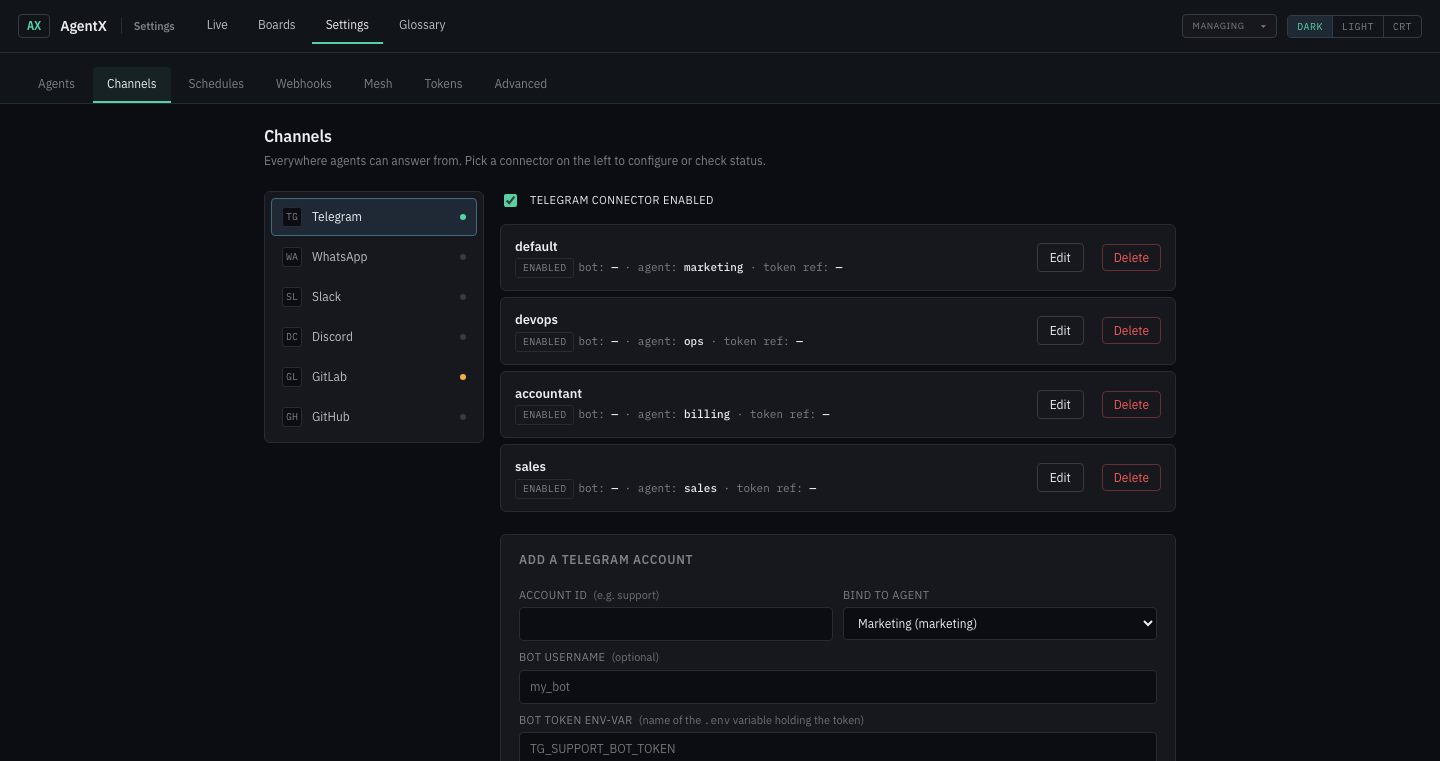
Per bot:
| Account ID | Bind to agent | Env-var |
|---|---|---|
sales | sales | TG_SALES_BOT_TOKEN |
support | support | TG_SUPPORT_BOT_TOKEN |
pm | pm | TG_PM_BOT_TOKEN |
Paste each bot's token when prompted — tokens land in .env, not in the config file.
CLI equivalent
agentx agent add     # run 3 times: sales, support, pm
agentx channel add   # run 3 times: telegram, pick agent, paste token
Step 4 — Watch them in action
Add all three bots to your Telegram group. Open Live in the dashboard.
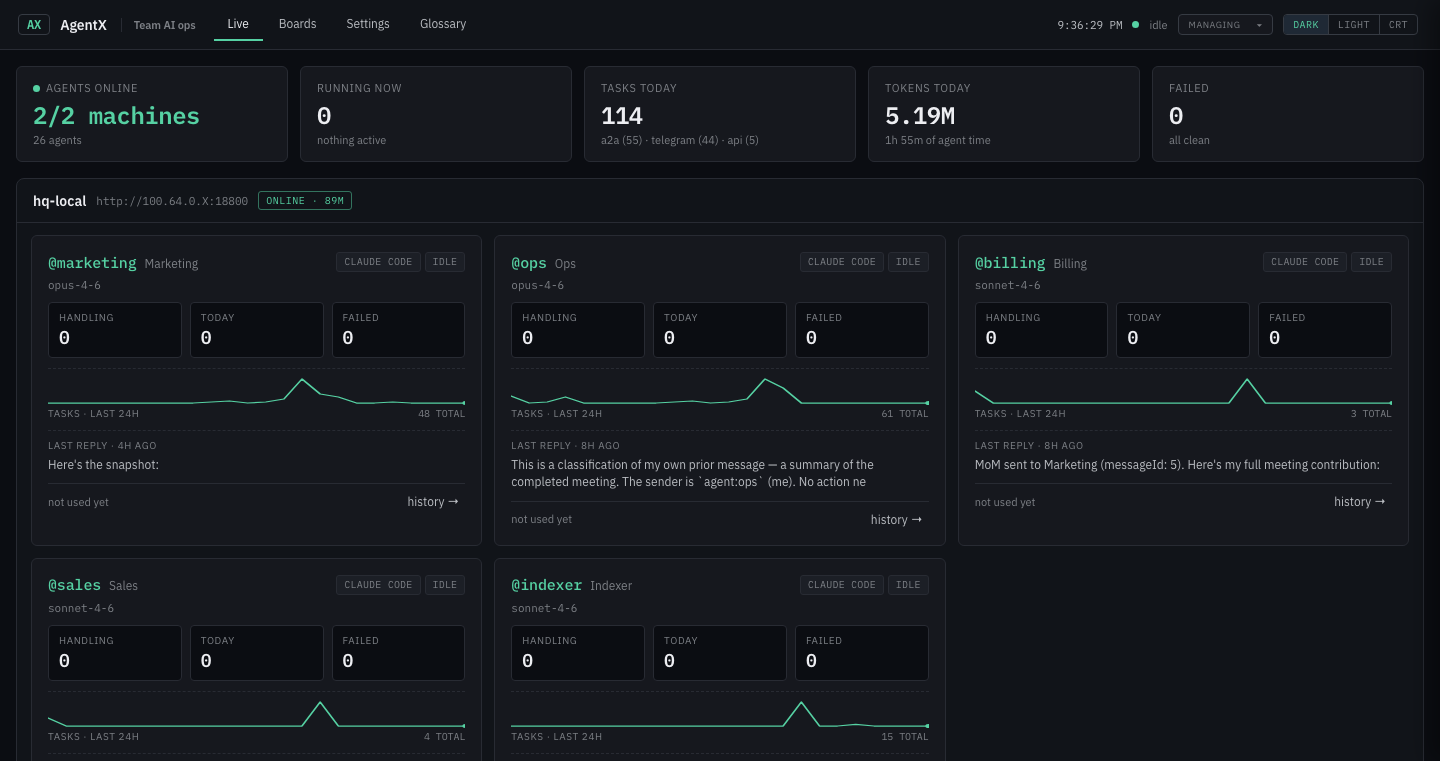
In the group:
@sales_bot — draft an intro email for Acme CorpSales replies within seconds. Now try delegation:
@sales_bot — ask @pm_bot when the next release is, then draft the email with that dateYou should see:
- Sales card flips to handling
- Sales' reply contains
@pm_bot … - PM card flips to handling (the router saw the mention)
- PM replies with a date
- Sales composes the final email, referencing PM's answer
This is the landscape at work.
The landscape — how agents find each other
AgentX automatically injects a landscape into every agent's context — the roster of other agents, their trigger words, and which mesh peers are online. That's why @pm can write "@support — please verify reproduction steps" and it just works: the router sees the mention and forwards to support.
You don't configure this. It updates on every reload.
Queueing — what happens to a busy agent
Each agent has a queueMode:
| Mode | When to use |
|---|---|
collect (default) | Messages that arrive while the agent is working get batched and delivered as one prompt when it's idle. Good for chat. |
followup | Each queued message becomes a separate turn. Good for work-queue agents that should drain messages one-at-a-time. |
drop | Discard new messages during overload. Good for noisy channels where old messages become irrelevant. |
Edit per-agent in Settings → Agents → Edit → Advanced, or:
agentx config set agents.support.queueMode followupConcurrency
maxConcurrent (default 1) limits how many turns an agent runs in parallel. Raise it only if the agent is genuinely idempotent — two concurrent turns may race on the same files otherwise.
Rule of thumb: Telegram/WhatsApp agents → 1. Classifier-style agents (no side effects) → 3. Never raise blindly.
What's next
- Give the team a shared knowledge base → Journey 6 — Shared wiki
- Turn this into a real team with KPIs and standups → Journey 7 — Business layer
- Run them across two machines → Journey 8 — Mesh federation